Static vs Rotating Proxies: A Multi-Account Management Guide
Static vs Rotating Proxies: A Multi-Account Management Guide
Anyone running cross-border e-commerce, social media matrices, or multiple ad accounts hits the same wall: which proxy should I use? Search "static vs rotating proxy" and you get either dense networking jargon or vendors pushing their own product. This guide cuts through that. We explain what each proxy type is good at, how to combine them inside a fingerprint browser for multi-account work, and how to pick based on your actual business goal. We start with "what it is," then move to "how to use it" in real multi-account setups.
Static and rotating proxies: start with the business problem
Most articles open with terms like "IP pool" and "rotation strategy," which only makes the decision harder. Let's flip it: ask what business problem you are solving, then work backward to the proxy type.
Static proxy: every request leaves from the same fixed IP. Its biggest strength is consistency — the site sees one identity visiting continuously. It shines for anything that must "look like the same real person over a long period": long-term multi-account logins, daily store operations, routine ad-account maintenance, and payment steps that need a stable identity.
Rotating proxy (also called a rotating or backconnect proxy): the IP changes automatically from a pool on every request or on an interval. Its biggest strength is scale and anonymity — requests spread across many IPs, so no single IP draws attention. It shines for large-scale data collection, price monitoring, regional market research, and batch tasks against strict anti-bot systems.
One-line memory aid: a static proxy is like a fixed long-term desk; a rotating proxy is like a temporary desk that moves to a different location every day. A stable desk helps long-term collaboration; a rotating desk spreads risk.
Compare across five dimensions to see the real boundary
Put both in one table and the differences become obvious:
- Stability: Static wins. A long-used IP keeps login state, cookies, and payment sessions intact. Rotating proxies, with frequent IP switches, easily drop long sessions such as a store you are warming up.
- Anonymity: Rotating wins. The ever-changing IP makes it hard for a site to group behavior under one identity. Once a static IP is flagged, the whole line is affected.
- Scalability: Rotating wins decisively. Thousands of concurrent requests are normal; it fits large collection jobs. Static is essentially one-to-one, so scaling is expensive.
- Cost: A single static IP is cheap and economical for long use; rotating (especially residential rotation) sits on a real-device pool, so unit price is higher and total cost climbs fast at scale.
- Risk detection: In strict anti-bot scenes, repeating one IP at high frequency can trigger very high block rates — exactly the pain rotating proxies solve. But switching too often, against real user behavior, itself raises suspicious signals.
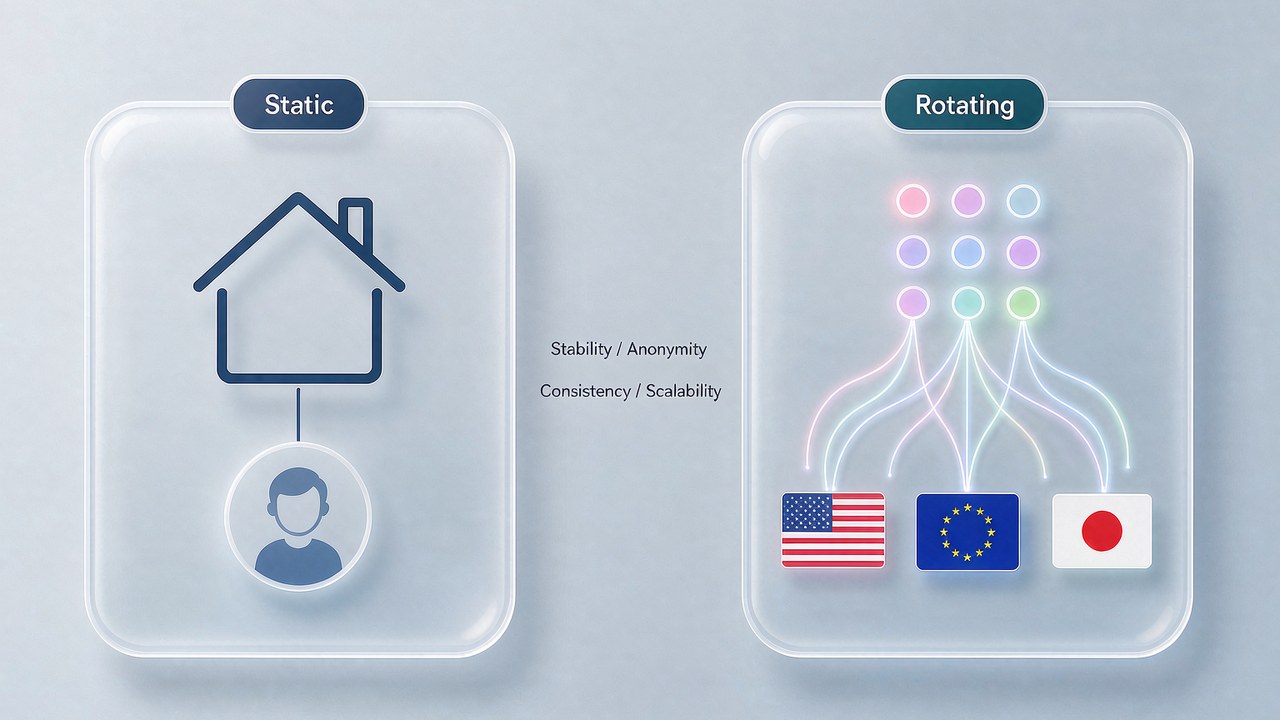
With these five points clear, you see why many businesses do not "pick one" but split the two by workflow stage.
Pairing proxies in multi-account management without pitfalls
Back to the real multi-account scene. Opening several Chrome windows on one machine and logging into several accounts, platforms judge association through four signal groups: device fingerprint, IP, cookies, and payment info. Even if you only change the IP but do not isolate the browser fingerprint, the association risk stays high — the difference between a normal browser and an anti-detect browser is mainly the environment-isolation layer that bare windows cannot provide but a fingerprint browser can.
The value of a fingerprint browser is giving each account an independent browser environment (an independent Profile) that separates device fingerprint, cookies, and local storage. On top of that, the proxy's role is to give each Profile an independent "network identity."

How to pair them, based on what our team has actually run:
- Daily account operations, warming accounts, login-state maintenance — use static proxies. Accounts need to "look like the same person long term"; a fixed IP plus an independent browser environment is the most stable combo. Prefer residential or mobile IPs; avoid shared datacenter IPs (same C-block raises association odds).
- Multi-region market research, cross-region price monitoring, batch creative testing — use rotating proxies. You need many different regional exits in a short time; static simply cannot sustain that concurrency.
- In an ad-account matrix, keep "main accounts" and "test accounts" on separate proxies: main accounts use static for stability, test accounts use rotating for batch runs.
- Multiple accounts within one business line each bind one independent static proxy; spread IPs across regions and ASNs so they do not "look like the same group."
A common trap: beginners pour their whole budget into "switching proxies" and ignore browser fingerprint, payment info, and email/phone dimensions. No matter how many proxies you have, the same payment card and same device fingerprint let platforms connect the dots. A proxy is only one link in multi-account anti-association; it must be combined with a fingerprint browser, payment isolation, and identity info.
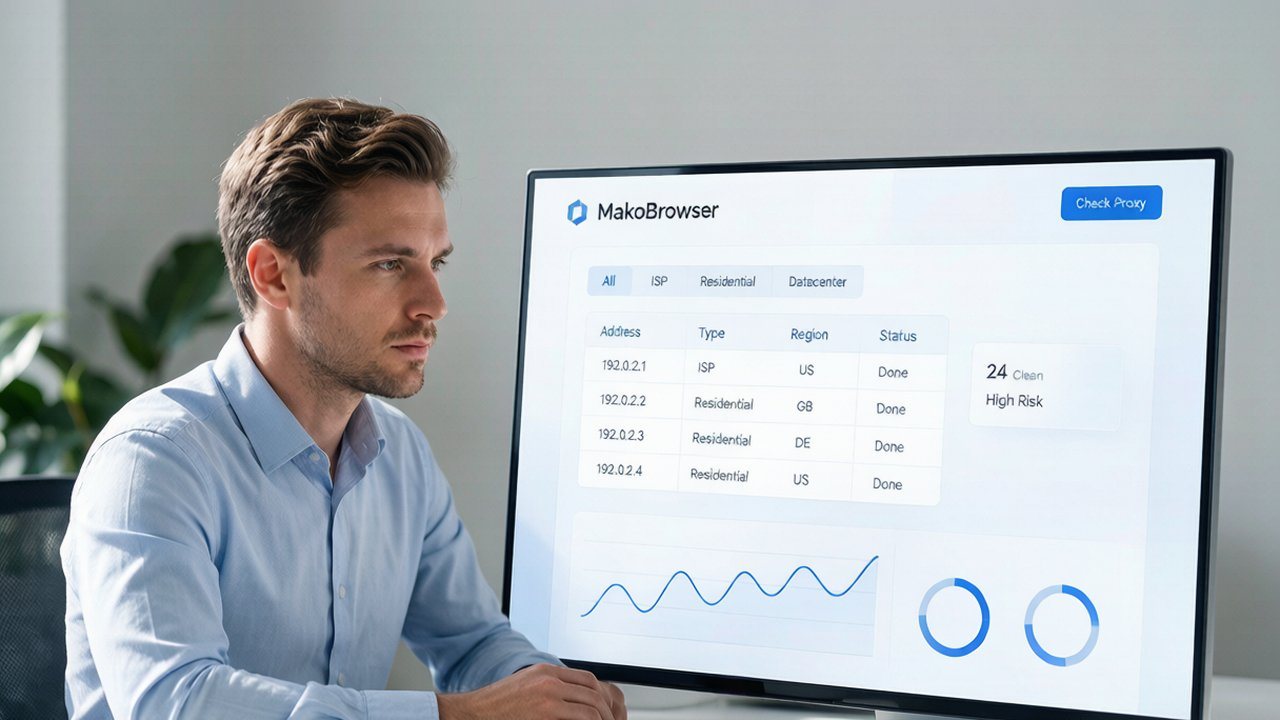
MakoBrowser makes "bind an independent proxy per Profile" a core capability — pick a proxy node when creating a Profile, configure in batch, and visualize IP type and region, with no scripting required. Multiple accounts run in one workspace; who logged into which account, which proxy was used, and when, all at a glance.
Choose by business goal, not by vendor jargon
Turn every dimension into a decision with one principle: there is no "best" proxy, only the one that "best matches your business."
Map by business goal:
- Pick static if you do: long-term account warming, daily social/e-commerce store operations, routine ad-account delivery, payment steps needing a stable identity, or fixed-IP whitelists for platform APIs.
- Pick rotating if you do: large-scale data collection, cross-region price monitoring, market research, SEO rank tracking, or batch tasks against strict anti-bot systems.
- Pick "hybrid" if your business spans both — this is where most matrix teams eventually land. Use static for account management, rotating for collection and research; separate budgets and separate risk control.
Budget trade-offs: with limited budget, protect the quality of static proxies for main accounts first (residential > mobile > datacenter); buy rotating on demand with usage-based billing. Do not thin the budget across every proxy so none is enough.
When choosing a vendor, ask about IP pool size, regional coverage, IP type (residential/mobile/datacenter), protocol support (SOCKS5/HTTPS), concurrency, and billing model (per IP / per traffic / per request); run a small test before scaling. For a 2026 side-by-side of fingerprint browsers and proxy vendors, see the 2026 roundup of 10 popular fingerprint browsers.
Frequently asked questions
Can static and rotating proxies be mixed?
Yes, and most mature teams do mix them. Use static for daily accounts and rotating for collection and research, split by workflow stage; there is no need to stick to only one.
Is a rotating proxy always "safer" than a static one?
Not necessarily. Rotating has an edge against large-scale identification, but switching too often against real user behavior triggers risk control. Safety is multi-dimensional — proxy, browser fingerprint, cookies, payment info, and behavior pattern must be considered together.
Must every Profile in a fingerprint browser have its own proxy?
Strongly recommended. Giving each Profile its own proxy aligns "network identity" with "browser identity"; sharing a proxy while stacking independent fingerprints still leaks association risk at the network layer.
How do I judge if a purchased proxy is good?
After getting it, run basic checks: visit an ipinfo-style site to confirm exit IP, region, and ASN match the claim; watch latency and packet loss on consecutive requests; log into a target platform with the same proxy to see if a risk-control captcha appears. A bad proxy is a waste even if cheap.
How do I manage proxies as the team grows?
Running two or three accounts on one machine, manual proxy assignment per Profile holds up. Once accounts reach double digits or multiple people collaborate, use the fingerprint browser team edition's batch proxy management — visual proxy pool, grouping by business line, usage stats, and failure alerts. Manual Excel cannot scale.
One last point: there is no silver bullet in proxy selection; static and rotating each have boundaries, and the key is matching them to your business goal. If your core scene is "multi-account management + anti-association," our experience is to first get a minimum viable system of "static proxy + independent Profile" running, then add rotating proxies for collection and research as needed. This combo works across most matrix operations. To try it yourself, use the free tier of MakoBrowser to create two Profiles, bind two proxies, log into two accounts for two days, and see the real effect before deciding whether to scale.