What Is MakoBrowser? A Fingerprint Browser Built on Environment Isolation
MakoBrowser is an anti-detect browser built for multi-account operations, and the core idea is simple: every account runs in its own fully isolated browser environment, while each environment's fingerprint parameters keep the logical relationships of a real device — cutting account-to-account overlap at the environment level. If you run several social media accounts, online stores, or ad accounts and keep running into accounts getting linked for no obvious reason, this type of tool was designed exactly for that pain. This article covers how it works, who it fits, and how many steps it takes to get started.
One Account, One Profile: What Environment Isolation Actually Isolates
A Profile is the basic unit of MakoBrowser — one Profile is one complete, independent browser environment. The common alternative is running many accounts in the same browser: cookies, cache, login states, and device signals all mixed together. Even when the accounts themselves are unrelated, these shared environment traces make it easy for platforms to connect them.
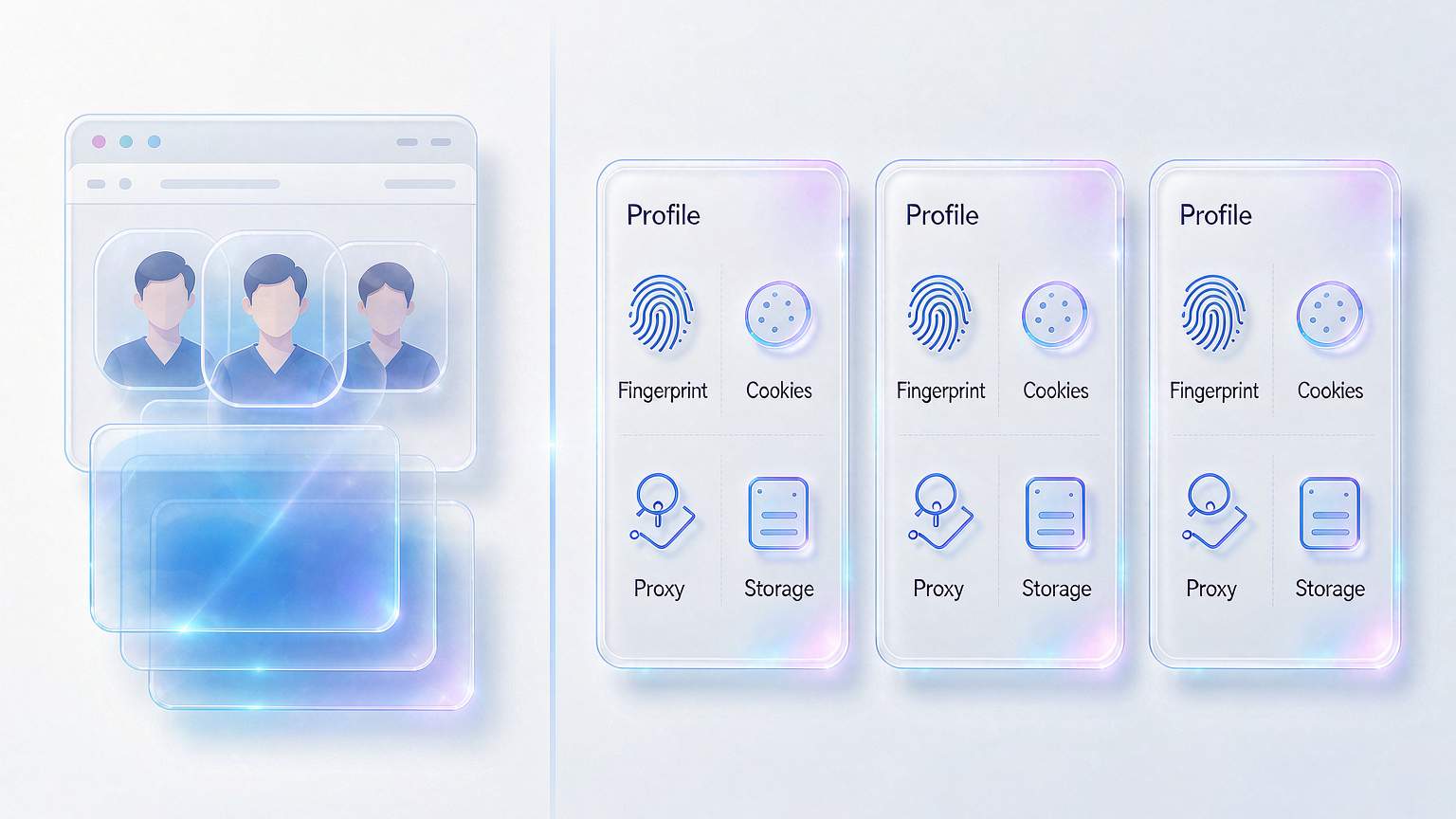
MakoBrowser takes that apart: each Profile has its own cookies, local storage, sessions, and browser settings, and the proxy can be configured per Profile. Account A and Account B know nothing about each other at the environment level — like two different computers, each logged into its own account.
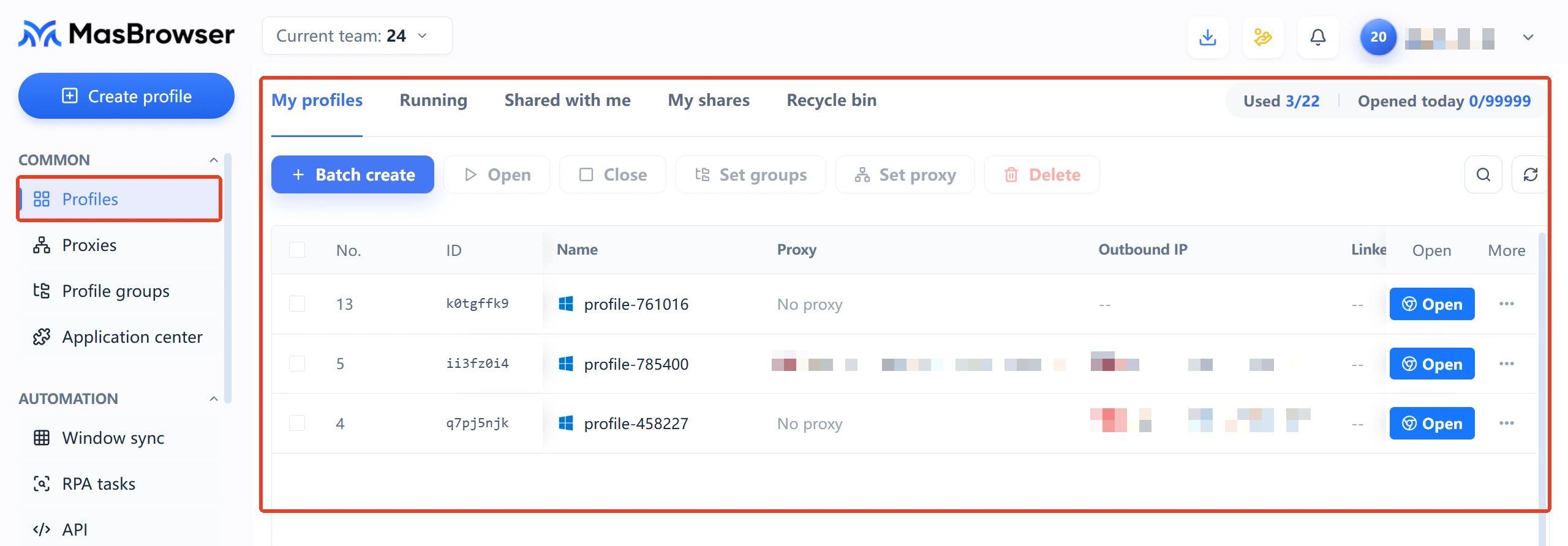
This design maps directly to real scenarios: cross-border sellers running multiple storefronts, social media teams maintaining account matrices, media buyers handling different ad accounts — the common thread is that accounts must not share an environment. Once isolation is done properly, everything built on top of it stands on clean ground.
Fingerprint Consistency: Parameters Shouldn't Be Random — They Should Make Sense
A reliable browser fingerprint isn't built by randomizing parameters; every parameter has to fit the logic of a real device. A quick example: if the system is Windows 11, the browser version, GPU model, and WebGL output should match a common, coherent combination. If the IP is located in New York, the timezone, language, and system region shouldn't still point somewhere else. Contradictory parameters leak far more than parameters that aren't unique enough.
MakoBrowser starts from common system, device, and browser combinations and keeps system identity, hardware identity, regional identity, and network identity aligned, so each Profile reads as one coherent whole. It's closer to "simulating a computer that actually exists" than "rolling the dice on every parameter."
One thing worth saying up front: platform risk-control systems keep evolving, and no tool can guarantee never being flagged on every platform. The value of fingerprint consistency is reducing obvious environmental anomalies — and testing on a small scale before production traffic is the responsible way to use any tool in this category.
Four Core Capabilities for Four Real Needs
- Environment isolation: cookies, local storage, sessions, browser settings, and proxy networks are separated per Profile — the foundation everything else builds on.
- Fingerprint consistency: system, hardware, regional, and network signals stay logically aligned, reducing obvious parameter contradictions.
- Secure multi-account operations: environment, identity, and network kept separate reduces unnecessary cross-signals at the source.
- Batch and team efficiency: create, edit, and launch Profiles in batches, run repeated actions with window synchronization, split permissions across team members, and hand fixed workflows to RPA and API.
The audience fits just as clearly: e-commerce sellers managing multiple stores, social media operators growing account matrices, ad teams splitting account management, affiliate marketers isolating offers, Web3 users keeping each project's wallet environment separate, and agencies using team collaboration to assign Profiles and permissions to members.
Frequently Asked Questions
Is MakoBrowser free? The official download page doesn't promise a free tier — availability and product terms depend on the current installer and release notes, so check directly after downloading.
Which operating systems does it support? Official installers are currently available for Windows (.exe) and macOS (.dmg), and the current version is 2.2.2. Compatibility details follow the version release notes.
Can each Profile use a different proxy? Yes. The official site confirms each Profile can be configured with its own independent proxy and network environment — part of environment isolation.
Run Your Multi-Account Business with MakoBrowser
If environment bleed, contradictory parameters, and messy collaboration are eating your time, the onboarding order on the official site is simple: download the installer, create your first Profile, configure the proxy, check the environment, then launch the browser. Once every account lives in its own Profile, multi-account management can shift from firefighting one by one to orchestrating in batches.