Is Multilogin Worth It? How to Choose a Multi-Account Anti-Linking Tool
The key to running multiple accounts without getting them linked has never been making your fingerprint exotic — it is keeping every account's environment complete, self-consistent and non-overlapping. Multilogin is one of the oldest tools in this category, a regular entry on the shortlist for agencies and cross-border teams; but its list price and its real cost diverge sharply, and whether it is worth buying depends on team size and budget structure. This guide breaks down Multilogin's anti-linking approach and cost structure, sums up four selection criteria, and offers a more predictable alternative — MakoBrowser anti-detect browser, billed per environment — so your money goes where it counts.
Why accounts get linked
Platforms judge accounts by overlapping environment signals, not by a single odd parameter. Run several accounts on one computer and they share the same browser fingerprint, the same cookie storage and the same exit IP — any single overlap can chain two accounts together in a platform's database. Subtler details betray you too: an IP in the US paired with a time zone showing Beijing looks normal value by value, yet put together they are a contradiction.
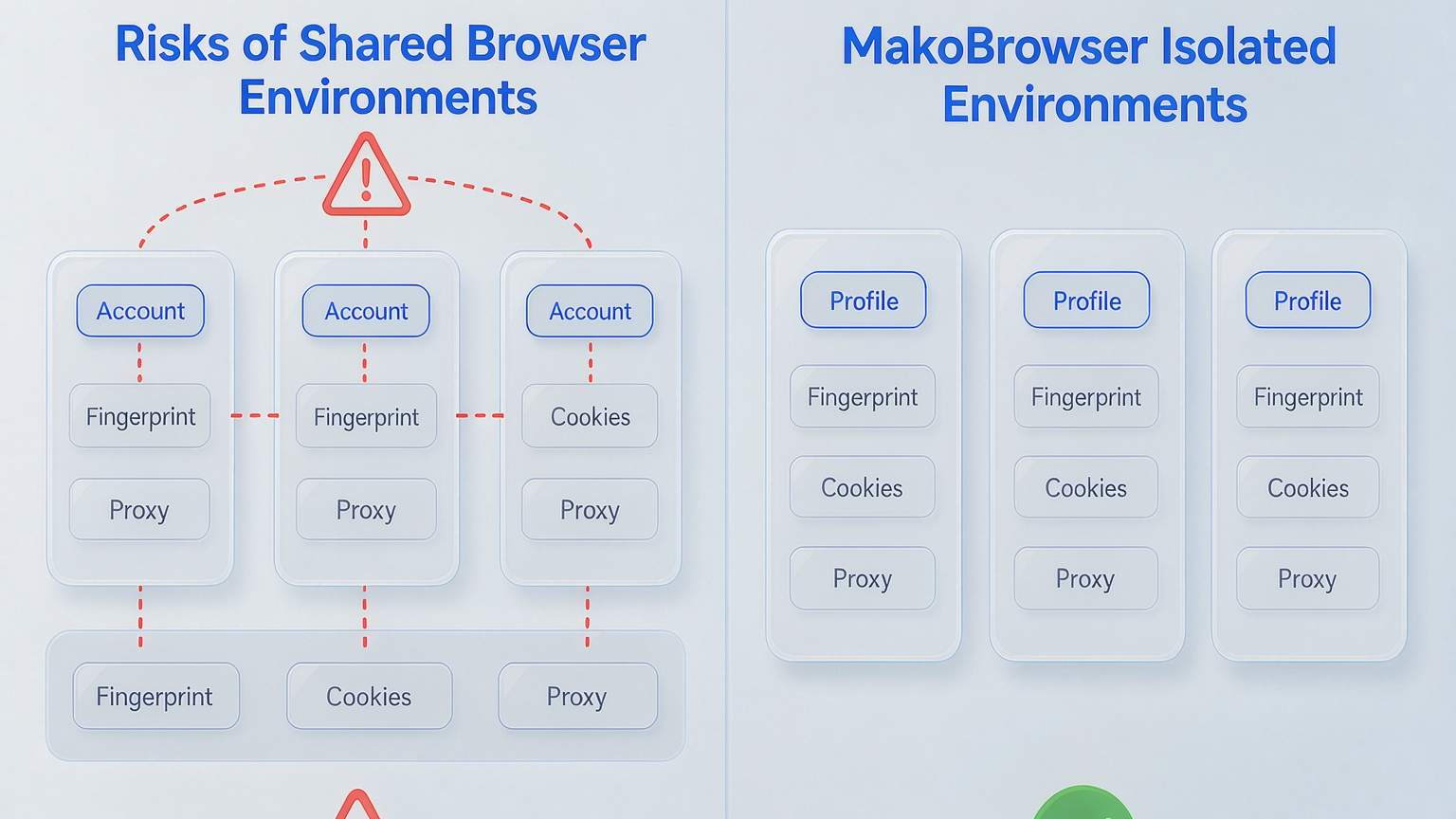
So the fundamentals of anti-linking are environment isolation: one independent fingerprint profile, one independent cookie store and one independent proxy per account, with the signals consistent — time zone aligned to IP, language aligned to region. Once your environments are set up, check consistency regularly with fingerprint testing tools; the method is covered in how to read fingerprint checker results.
How Multilogin handles anti-linking
Multilogin's approach is platformization: environments, proxies, mobile and team collaboration bundled into one subscription. According to its official materials and public reviews, its fingerprints are generated from real device parameters and tuned for internal consistency, not randomly patched together — random values actually look more suspicious to detectors. Proxies can be bought in-platform and bound directly to a profile, or you can plug in your own HTTP, HTTPS or SOCKS5 lines; once bound, every launch uses the same channel, avoiding the rookie mistake of launching on the wrong IP. Multilogin's official site has also added cloud phones and team seats in recent years: the former serves mobile-native platforms without buying handsets; the latter suits agencies where several people share client accounts, with role separation, no exposed credentials, and API support for Selenium, Playwright and Puppeteer.
The workflow itself is not complicated: name profiles properly when you create them (something like ClientA-FacebookAds, never test2), bind the proxy, save it as a template and clone in bulk; keep fingerprints at their defaults — hand-editing resolution or time zones tends to introduce contradictions.
What Multilogin really costs
The list price looks modest, but the cost structure is "plan plus add-ons", which hurts predictability. Per public pricing information (the live site is the source of truth): the free plan tops out at 5 environments with one-time quotas of 200MB proxy traffic and 30 phone minutes; paid tiers start around $7/month on the annual billing basis, environments scale in 10/50/100 tiers, and the team plan adds seats and API limits. The reminder that matters: real monthly cost should be computed as environments + expected proxy traffic + phone minutes together. Solo users and small studios rarely use up those quotas, which means paying for an operations layer they never touch — one reason some reviews dock it for cost predictability.
Four criteria for choosing a multi-account anti-linking tool
To judge whether a tool fits, run it against these four checks.
- Fingerprint consistency first: check whether it generates fingerprints that are real and self-consistent or randomly patched together — the latter is more likely to be exposed under deep detectors.
- Strong proxy-to-environment binding: one dedicated proxy per environment, with IP, time zone and language aligned, so manual switching cannot introduce errors.
- Collaboration and permissions: for team operations, whether environments can be assigned by role and whether credentials stay out of plain text sets the ceiling on team size.
- Predictable cost: per-environment flat billing beats "cheap plan plus metered add-ons"; the more environments you run, the wider the gap grows.
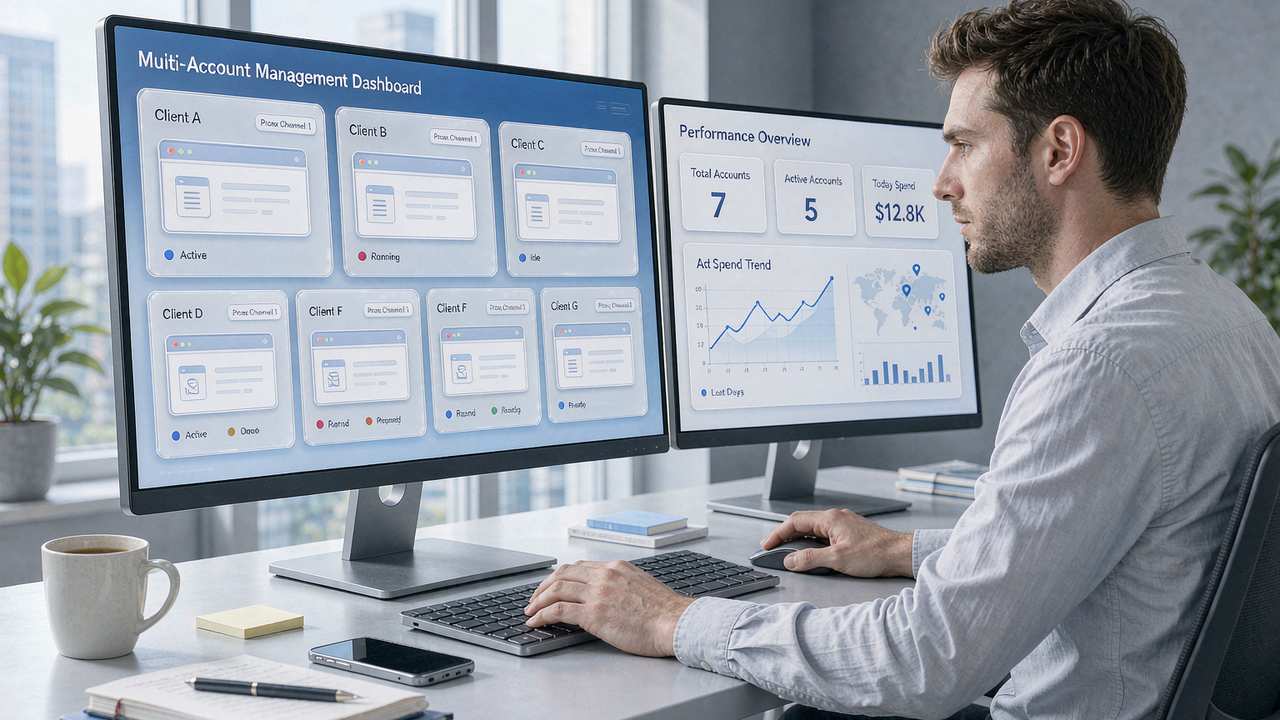
Implementing multi-account anti-linking with MakoBrowser
If what you value is the certainty of paying per environment, MakoBrowser anti-detect browser is a worthwhile alternative to compare. It reduces anti-linking to two fixed things: a self-consistent fingerprint profile plus a dedicated proxy for every environment; batch operations and data sync then turn "configuring dozens of environments one by one" into a templated action. Team collaboration supports member groups and permission management, so agencies can partition space by client.
On pricing (current official list, subject to the live page): the free plan includes 2 environments and 2 members; Pro is $6.80/month for 10 environments, $40.80 billed yearly — about $3.40/month, or roughly $0.34 per environment per month; Advanced is $27.50/month for 100 environments, $165 yearly, about $0.14 per environment per month, with an extra 30% off on quarterly billing. Past a hundred environments, this kind of flat-rate plan flattens the cost curve noticeably.
For a complete product walkthrough, see the MakoBrowser anti-detect browser page; when you are ready to start, install the client from the download page and follow the order "create environment, set proxy, save template, clone in bulk" — your first batch of environments can be running within ten minutes.
Frequently asked questions
Does Multilogin have a free plan?
Yes. Per its official pricing information, the free plan allows up to 5 environments with one-time proxy traffic and phone-minute quotas, enough to prove out a workflow; once environments multiply you move into paid tiers, and mind the stacked traffic and phone-minute charges.
Do you really need an anti-detect browser for multi-account anti-linking?
Not always, but at scale it is hard to avoid. Two or three accounts can be roughly isolated with different browser profiles plus different proxies, yet fingerprints and cookies remain shared and platform cross-checking tends to catch up; beyond ten accounts, an anti-detect browser with independent fingerprints and independent proxies is the most cost-effective option today.
Multilogin or MakoBrowser?
Look at team size and budget structure: teams that need cloud phones, run mobile-heavy workflows and have budget to spare get more platform capability from Multilogin; desktop-first teams that want per-environment flat billing and watch their costs should start by comparing MakoBrowser anti-detect browser's free and Pro plans against their real environment count, then do the total-cost math before deciding.