MakoBrowser Window Sync + RPA in Practice: Turn 20 Accounts' Repetitive Work into One Setup
Anyone running 20 accounts knows the weight of repetition: every account needs logins, browsing, likes, posts — identical actions, different accounts. Keeping accounts independent is the precondition for safety, as covered when we explained environment isolation, but it has a direct cost: you can't copy-paste your way through the work. One account's routine times 20, and the day is gone. Window sync solves "do it simultaneously": one set of actions, many windows following along. RPA solves "do it without me": the flow becomes a template the software runs on schedule. This guide walks through how the two features divide the work, in hands-on order, plus the traps beginners hit in their first week.
First, the division of labor: window sync vs. RPA
The two features get confused constantly, but they solve different problems, and mixing them up wastes effort:
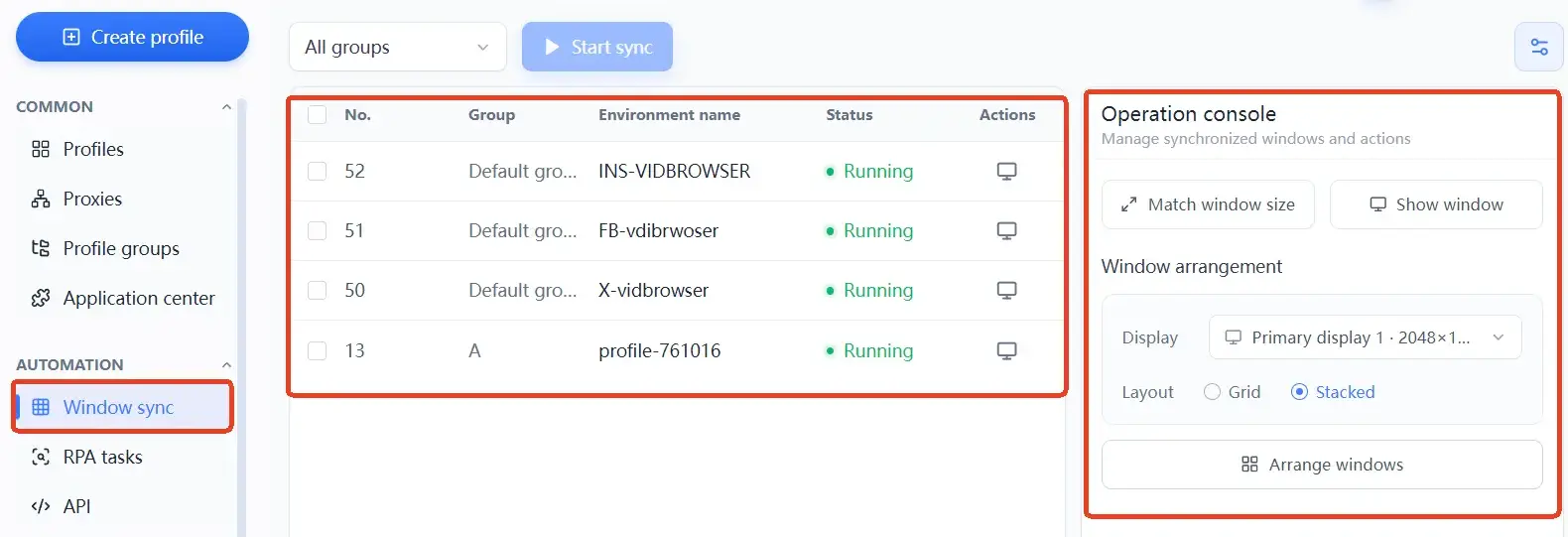
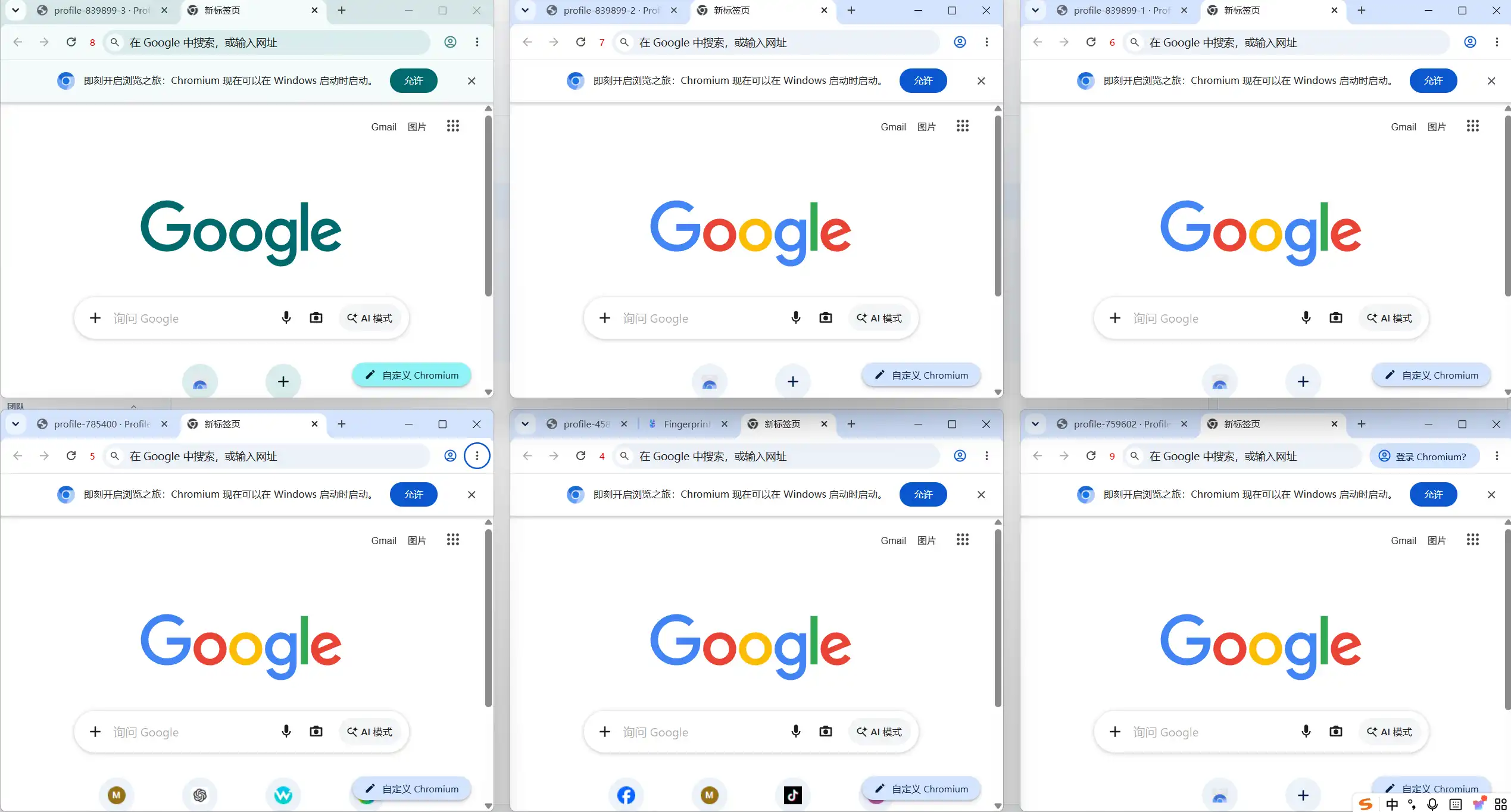
- Window sync: you click, scroll, and type in one main window, and every checked window repeats the action in real time. It keeps the "human touch", which fits browsing, scrolling, and dwell-time behavior during account warming;
- RPA: you configure a sequence of actions (open page → perform operations → close) as a template the software executes on schedule, and Local API lets it plug into systems you already run. It fits high-volume, fixed-step flows that need no on-the-spot judgment.
The official MakoBrowser site groups both capabilities with bulk creation, bulk launch, group management, and team permissions under "operating efficiency" — the design intent is to move repetitive work out of human hands. The decision rule is simple: identical actions every time go to RPA; actions that must adapt to what's on screen go to sync. Having 20 accounts watch the same type of video content? Sync, scrolling along as you watch, looks more natural. Posting one captioned update to a fixed link on a daily schedule? That belongs to RPA.
Window sync in practice: which jobs fit, and how to keep it natural
Sync's most typical use is the "behavior warming" period for new accounts. For the first three days, let the account wander the platform like a real person: open the feed, scroll, pause on a piece of content for a few seconds, occasionally open one. Group 5-10 windows with sync, and your actions in the main window carry the whole group along.
Three details that make synced behavior look more natural:
- Don't oversize a group — 5-10 windows stay the most responsive; too many and some windows lag mid-action;
- Sync reproduces "the same kind of behavior", not "the same result" — how far you scroll and how long you pause is decided by each live action, which is itself a natural variation;
- Turn sync off for input actions (comments, DMs) and do them one by one: each window needs different text, and pushing identical wording into multiple accounts is an obvious correlation signal.
To be clear, sync does not break environment isolation — every window remains its own independent Profile with separate fingerprints, cookies, and proxies. What gets synced is the "operation", never the "environment". That's exactly why it beats remotely controlling a row of physical machines.
RPA in practice: five steps to hand a fixed flow to the software
Don't aim for a perfect setup on day one. Follow this order and your first flow typically runs end-to-end within a day:
- Put the accounts you want to automate into one group. Don't throw every account into one task pool — group by platform and by business, so any failure stays contained;
- Start from a platform action template. MakoBrowser's RPA is template-driven: browsing, liking, and posting have ready-made templates. Begin with the simplest ("open a specified page and dwell"), not with a posting flow;
- Set counts and intervals — and always give intervals a random range. Fixed intervals produce a behavior curve that's too neat. Twenty accounts doing the same thing in the same second isn't efficiency; it's a gift to platform detection;
- Trial-run 2-3 environments for a full day first. Confirm every window completes its actions, proxies hold, and logs show no errors — then scale to the whole group;
- Schedule it and read the run log once a day. The log records which windows failed and at which step, so you can re-run or adjust the next day.
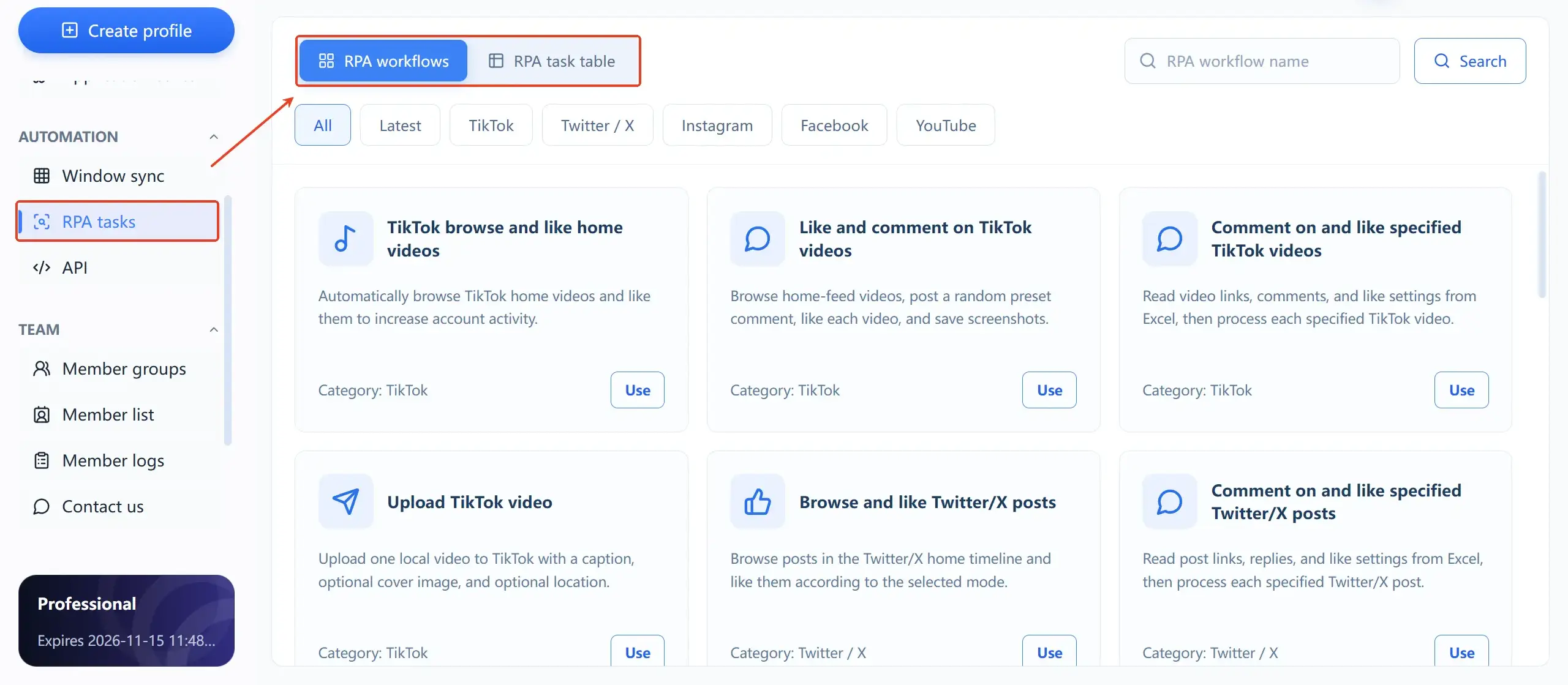
Three traps beginners fall into
Going full-auto immediately. Handing an account that hasn't built a normal behavior track a daily high-frequency posting routine is the most watched combination: new account plus bot-like behavior. Spend the first week warming browsing with manual sync, then gradually hand low-risk actions (browsing, likes) to RPA, and connect posting last.
Rhythms that are too tidy. Every account starts at the same time, with the same intervals and the same action sequence. Fill in a random range wherever a parameter accepts one, and stagger start times across groups.
Never reading the logs. RPA isn't configure-and-forget. A dead proxy or a page redesign that breaks a selector shows up in the log — ignoring it means a batch of windows spinning idle or clicking at random.
When to rely on sync, and when to bring in RPA
- Sync first: account cold-start periods, human-feel behavior warming, one-off batch checks and inspections;
- RPA first: daily scheduled publishing, routine visits to fixed links, mature accounts with high volume and settled steps;
- A relay of both: sync warms accounts by day, RPA runs routine tasks on schedule by night, and a workday no longer needs someone staring at windows.
FAQ on window sync and RPA
Does window sync break anti-association?
No. Sync only reuses your operations — each window's fingerprint, cookies, and proxy stay independent. The real thing to watch is never sending identical text content through sync.
Does RPA require programming?
Not for basic use: common actions run from ready-made templates with configured parameters. Connecting your own business systems via Local API is the advanced case where development comes in.
How many windows can sync at most?
It depends on actual performance in the current software version. Experience says a single group of 5-10 windows stays the most responsive; for larger volumes, split into several groups and run them in batches.
Can a misconfigured RPA get accounts banned?
The tool executes the actions; account safety also depends on environment quality, proxy quality, and the behavior rhythm you configure. That's exactly why the advice is to trial-run small, randomize intervals, and connect posting actions last.
The lowest-effort path to start
Use sync to carry a group of accounts through daily browsing first, and once it runs smoothly, hand the single most fixed task to RPA — a scheduled daily visit to the profile page, say. Within a week you'll have a feel for how the two divide the work. The installer is on the MakoBrowser download page, with Windows and macOS both supported.