MakoBrowser Fingerprint Browser: A Complete Guide to Features, Setup, and Use Cases
MakoBrowser Fingerprint Browser: A Complete Guide to Features, Setup, and Use Cases
Most people searching for a "fingerprint browser" arrive with the same problem: the more accounts they run, the more platforms start linking and banning them. MakoBrowser is a fingerprint browser built exactly for this — it gives every account its own independent browser environment, so platforms see dozens of unrelated "different users" instead of one computer operating accounts in bulk.
This is a complete introduction for first-time readers: what it is, what its core features are, how many steps it takes from download to a working first profile, and which businesses it suits. Ten minutes of reading is enough to decide whether it is the tool you need.
What Is MakoBrowser and Who Is It For
Start with the problem it solves. When platforms judge accounts as linked, they look at device fingerprints, IP exits, cookies, and local storage — no matter how many windows you open in a normal browser, those signals stay the same. MakoBrowser's approach is to build an independent environment (Profile) for each account: different fingerprints, different proxies, and invisible data between environments. From the platform's perspective, it looks like multiple "different computers" browsing from different places.
The business fit is clear: cross-border ecommerce (multiple stores, multiple platform backends), social media operations (multi-account matrices, content distribution), advertising (managing multiple ad accounts and testing creatives), and market research and data collection, which needs access perspectives from different regions. The common thread — business value lives on "multiple mutually independent accounts," and account security is the precondition for that value.
The unsuitable cases are just as clear: for ordinary single-account browsing, or scenarios where you need to hide all device traffic, a VPN is more direct. A fingerprint browser is designed for "parallel multi-identity management," not as a general-purpose acceleration or censorship-circumvention tool.
Core Features: From Environment Isolation to Team Collaboration
Ranking MakoBrowser's capabilities by how often you use them, six blocks matter day to day:
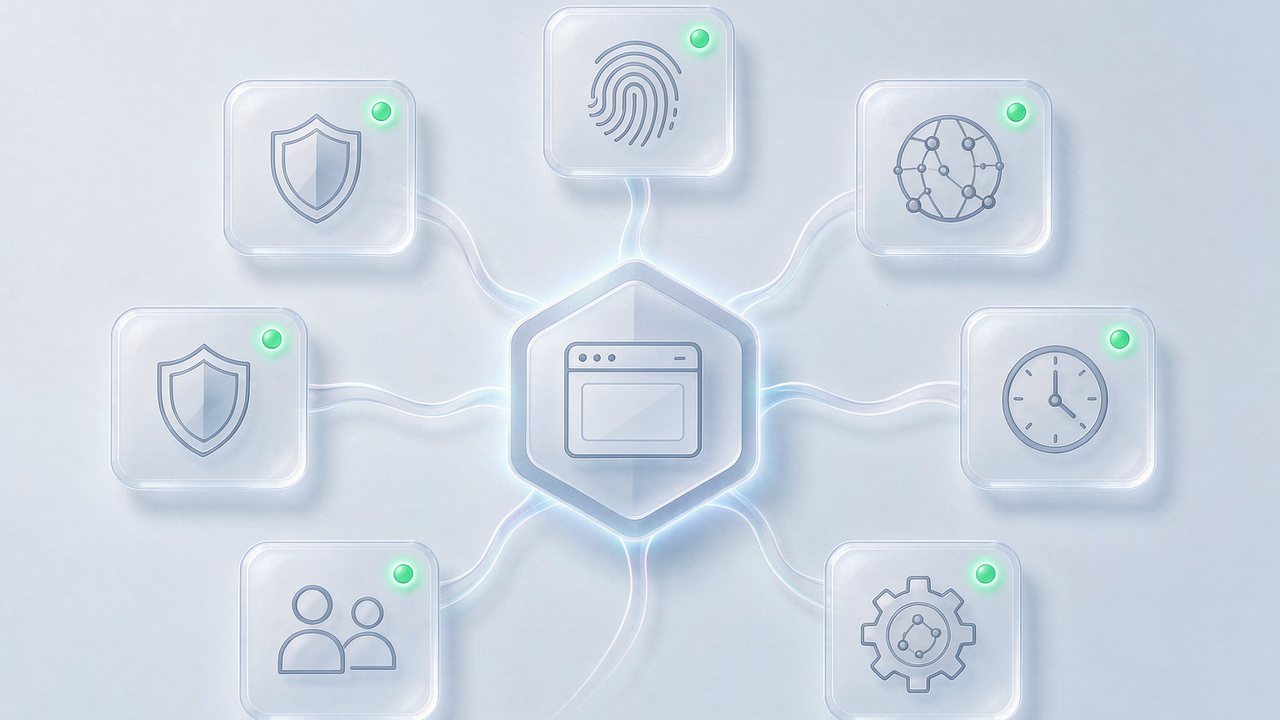
Environment management. Create Profiles in bulk, group them by business, tag them, and import from spreadsheet files — no need to configure dozens of environments by hand. Each environment's fingerprint parameters are generated from realistic device combinations; Canvas, WebGL, and fonts come with sensible rendering defaults, so you don't need to understand the low-level parameters.
Proxy binding. Each environment binds its own proxy with support for mainstream protocols; timezone and language auto-align with the proxy exit, avoiding giveaways like "a US IP with a Chinese interface." Proxies can be stored centrally in a proxy library and selected when creating environments.
Data isolation and migration. Cookies, login states, and local storage of each environment are physically partitioned; when you switch computers or hand over work, the environment migrates as a whole with its login state — no re-logging-in.
Automation and synchronization. Repetitive actions can be applied to many environments at once with the synchronizer, and no-code flows can turn fixed tasks into scripts. We covered automation in depth in the browser automation article, so we won't repeat it here.
Team collaboration. Tiered role permissions, operation audit trails, and bulk environment handover turn accounts from "personal craft" into "organizational assets" — the enterprise multi-account management article lays out a complete approach.
Security design. Login states and sensitive data are encrypted locally, protected by a master password, and sensitive operations can require separate authorization.
Getting Started: From Download to Your First Working Profile
On first use, four steps get the minimal loop running:
- Download and install: get the Windows or macOS client from the official site, then register and log in;
- Create your first profile: create a new Profile, pick a system persona, and generate the fingerprint in one click — the defaults are fine, no manual tuning needed;
- Bind a proxy and verify: enter your proxy (HTTP/SOCKS5 supported), the tool tests connectivity automatically, and timezone and language align with the exit; after launching the environment, visit an IP checking page once and confirm that exit, timezone, and language all match;
- Log in and start working: log into your platform account inside the environment; from then on, that environment is the account's "dedicated computer."
Run to this point and the most tangible feeling is: open the same website from a different environment, and the platform sees a brand-new visitor. The article on browser environment isolation digs deeper into the principle and verification details, and is worth reading alongside.

How to Tell If It Fits Your Business
Finally, a pragmatic way to decide — three questions:
Are your accounts worth independent environments? If account assets (store ratings, ad account history, follower counts) have already accumulated, the cost of isolated environments is far below the loss from one linked-account ban; for pure new-account testing, the free quota is usually enough to validate the workflow.
Will your team grow? From one person managing three accounts to three people managing thirty, you cross three hurdles: permissions, handover, and bulk operations — MakoBrowser's team features are built for that stage, and the earlier you adopt them, the easier it gets.
How will you manage proxies and environments? The tool only keeps the environments standing; proxy quality is your own gate to keep. The article comparing proxy browsers and fingerprint browsers covered how the two relate: location and identity — you need both.
FAQ
What can MakoBrowser's free quota do? The free quota is enough to run the full validation flow — "create an environment, bind a proxy, log in an account, verify isolation" — so you can judge whether the tool matches your business before considering a paid tier, without wasting money.
How many environments can one computer run? With ten or fewer environments active at once, an ordinary office computer has no trouble; when the count grows, set the rarely used ones to on-demand launch.
How is data security guaranteed? Login states and sensitive data are encrypted locally, protected by a master password; in team scenarios, sensitive operations go through separate authorization and operation records are traceable.
How does it compare to cloud phone solutions? If your business lives in the browser (ecommerce backends, social media web apps, ad platforms), choose a fingerprint browser; for mobile-app-first matrices, consider cloud phones. They manage different forms of accounts, but the mindset is the same.
The value of a fingerprint browser is not a long feature list — it is whether every account can reliably "look like an independent person." MakoBrowser packs environment isolation, proxy management, bulk operations, and team collaboration into one workspace, aiming to push the daily cost of that down to the minimum.
Whether a tool is good, you only know by running it. Download MakoBrowser, use the free quota to build two environments and try them for a week — the answer is more direct than any review.