How to Prevent Social Media Account Linking: A Practical Guide
For anyone running multiple social media accounts, the real fear isn't a single ban — it's a batch ban: one account gets flagged, and the platform follows the trail to every other account on the same device or network. Losing a mature environment that way costs more than building ten new accounts.
I recently watched a hands-on demo of Facebook multi-account anti-association, and the approach it showed is textbook: a fingerprint browser separates the device environments, then each account gets a native residential IP from its own country, so what the platform sees is "a group of unrelated real users." The method is sound, and this article expands it into a complete anti-association playbook — how platforms detect linking, how to isolate environments, how to pick and verify IPs, all in one place.
How Platforms "Connect" Your Accounts
Before you can prevent linking, you need to understand how it happens. When a platform decides two accounts "probably belong to the same person," it mainly looks at three layers of signals:
Device layer. Two accounts logged in on the same computer, the same browser — even once — and cookies, Canvas fingerprints, fonts, and screen parameters leave cross-evidence behind. This is the most common linking source.
Network layer. Multiple accounts sharing one IP exit, or having used the same IP range at any point, puts them in the same relationship circle. Datacenter IPs are especially dangerous: dozens of users on the same server have already been flagged, and you're just the latest arrival.
Behavior and profile layer. Similar registration dates, identical profile templates, synchronized posting schedules, highly overlapping interaction targets — these "too alike to be a coincidence" patterns let platforms connect accounts that the device and network layers never caught.
As you can see, this is multi-dimensional cross-checking, not single-point detection. The risk-control dimensions for TikTok are listed in this TikTok environment setup guide; each platform weights them differently, but the cross-checking logic is the same.
The Core Principle of Anti-Association: One Account, One Environment, One IP
Three layers of signals call for three lines of defense, and in practice it comes down to one sentence: every account gets an independent environment plus an independent IP, with zero overlap.
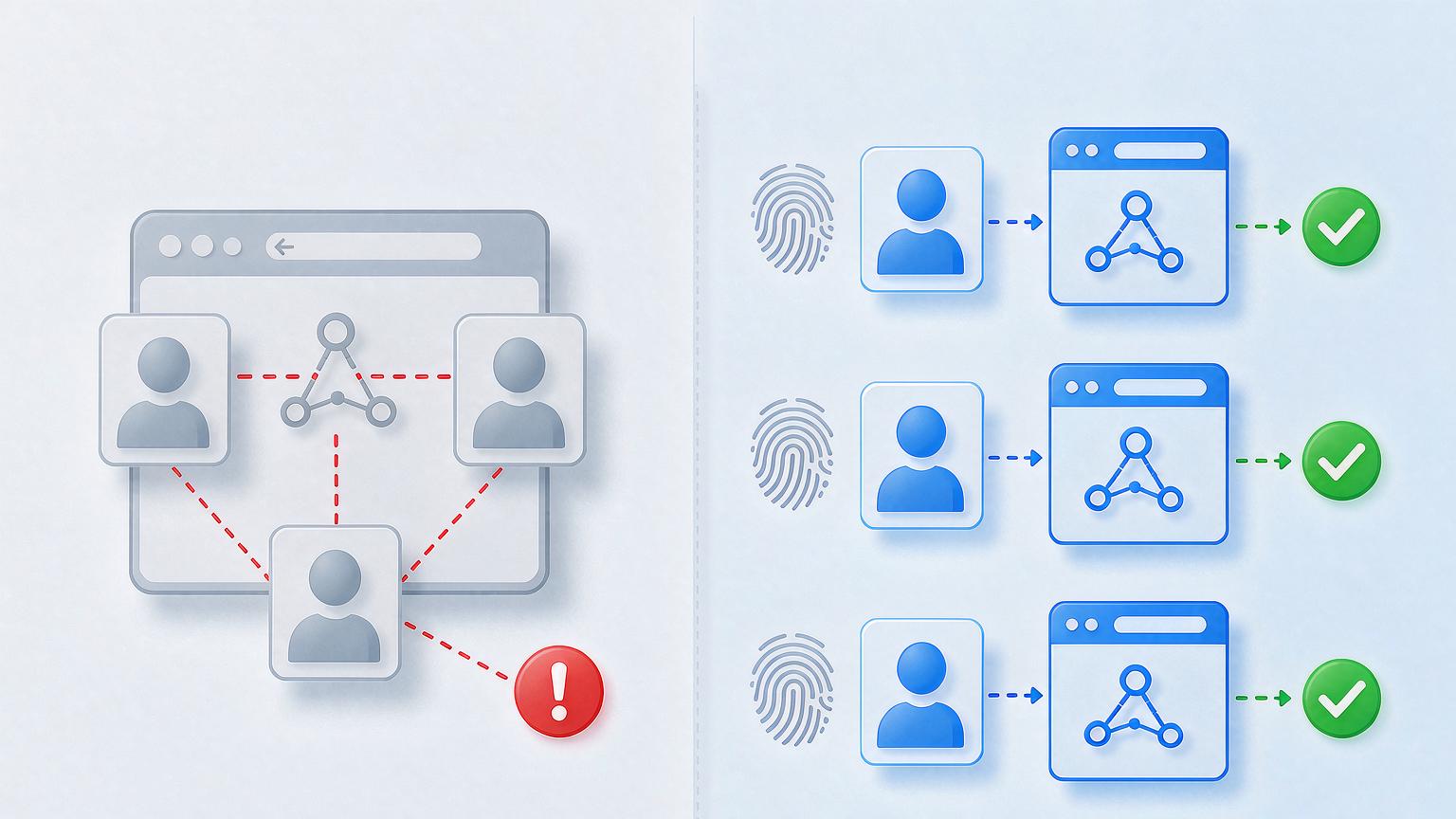
Here's what each of the three "independents" blocks:
- Independent environment blocks the device layer: a fingerprint browser gives each account a fully separate browser profile — its own cookie storage, its own Canvas/WebGL/font parameters — so the platform sees no overlap from the device side.
- Independent IP blocks the network layer: one exclusive residential IP per account, with the exit location matching the account's persona.
- Persona differentiation blocks the behavior layer: staggered registration dates, individually written profiles, posting rhythms with natural irregularity — this layer is operational discipline; no tool can do it for you.
One more word on how much environment isolation matters. It isn't "a better option" — it's the precondition for multi-account operation to work at all. The role of fingerprint browsers in multi-account management covers a ready-made five-step process. Our team uses MakoBrowser for anti-association, and this is why we picked it: each Profile's fingerprint, storage, and proxy binding are separated at the core level, with no data shared between environments — far more stable than the old plugin-based parameter tweaking.
Five Steps to Build an Anti-Association Environment
I'll walk through the full flow with Facebook as the example; other platforms are much the same.
Step one, create an independent environment. Create a new Profile in the fingerprint browser and name it after the account or its business purpose (something like "US-FB-main"). Pick the Chrome kernel and Windows as the OS, and first make sure the environment's own fingerprint parameters are complete.
Step two, add the residential proxy. Choose SOCKS5 as the proxy type and enter the host, port, username, and password of the residential IP you bought. The IP selection rules are just three: location matches the account persona, residential type (never datacenter), and exclusive use (never shared with anyone).
Step three, run the proxy check. Environments usually have a built-in check: green passes, red fails. Red usually means your local VPN is off and the proxy chain can't connect — turn it on and test again.
Step four, run IP quality checks. A working proxy doesn't mean a qualified IP. Open an IP checking site and confirm three things: the location is right, the ASN is residential (dual ISP is best), and you're the only user. If any check fails, don't use that IP for account farming.
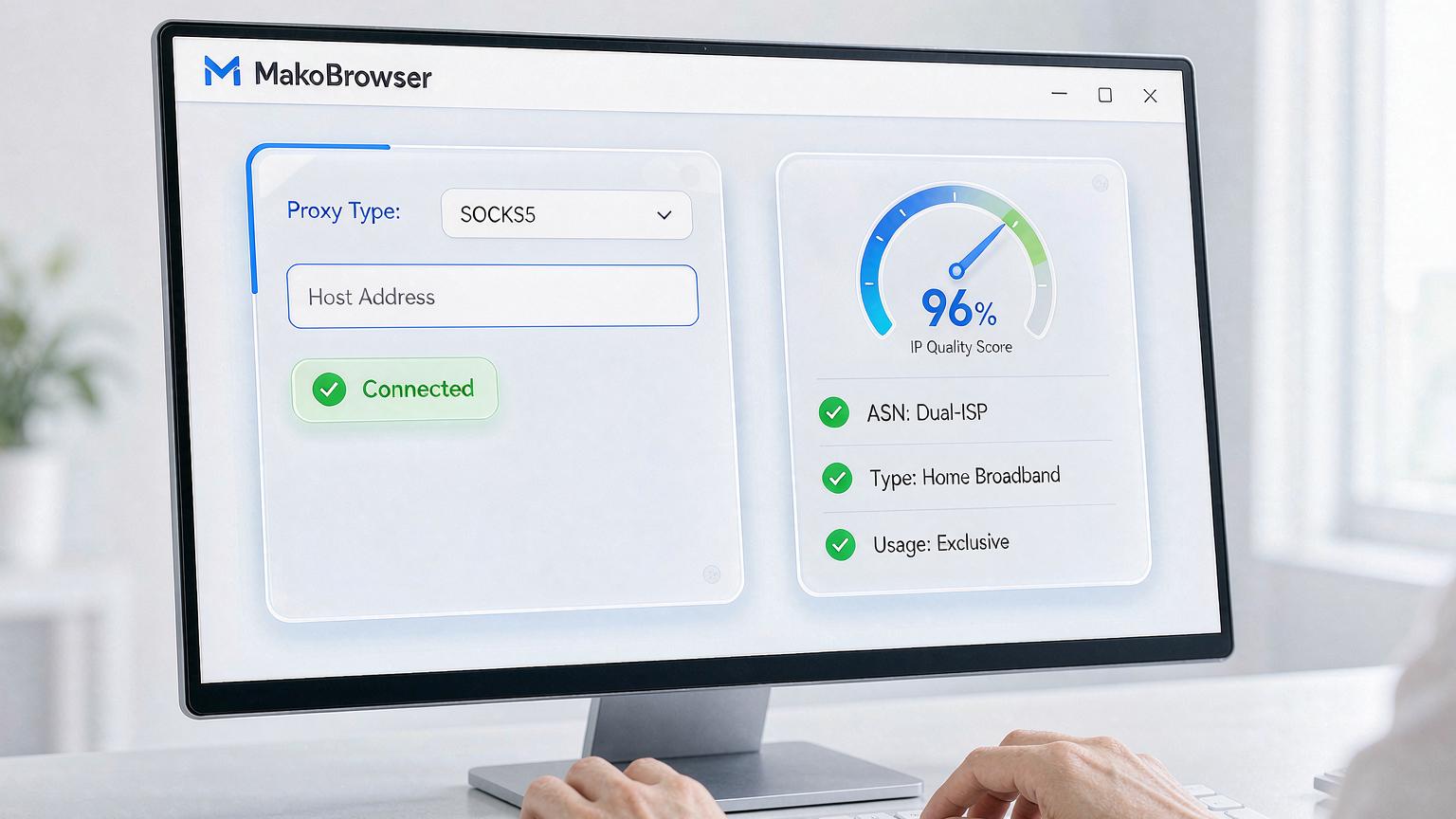
Step five, repeat per account, never reuse. Every account goes through the full flow above. No reused environments, no reused proxies, and keep records of every check — if an account ever runs into trouble, you'll have a complete environment file to review.
An Environment Isn't the Finish Line: Three Things to Keep Doing
Anti-association is ongoing work; building the environment is only a third of the job.
Keep monitoring IP purity. Residential IP quality changes — a range that was clean last month may be burned by someone else this month. Re-run quality checks on your active IPs every week or two, and replace any whose scores clearly drop.
Hold the behavior line. Posting times, interaction habits, and content material across accounts should never look "mass-produced by one team." Copy-pasted content is itself a linking signal — this is where account nurturing principles overlap: start slow, scale gradually, keep the rhythm irregular. The methods in this Facebook account management guide apply directly.
Separate new accounts from old ones. Don't run freshly registered accounts in the same batch of environments as your established ones — new accounts are high risk, and when they go down, don't let them take your main accounts with them. Group them, isolate them physically.
FAQ
Two or three accounts, sharing one computer but isolated with a fingerprint browser — is that enough? Enough for the device layer, not for the network layer — a shared broadband exit is still a linking source. There's no "small-scale exemption" from anti-association; IPs must be separate too.
Can I use free proxies? No. Free proxies are almost all datacenter IPs that countless people have already used — farming accounts on them is handing your accounts to the platform blacklist.
What's a monthly budget for residential IPs? Exclusive static residential IPs are no longer expensive; a few dollars per IP per month covers most needs. Spend your budget on "exclusive" and "clean," not on quantity.
If one account gets banned, should the other accounts in the same environment switch IPs immediately? Find out why the ban happened first. If the verdict relates to the IP range, migrate the other environments on that range as soon as possible; if it's a behavioral violation, switching IPs won't help much — review your operations instead.
Closing: the essence of anti-association is making every account "look like an independent real person"
Looking back at the whole playbook, there's no magic here: separate the device layer with a fingerprint browser, separate the network layer with exclusive residential IPs, separate the behavior layer with operational discipline — get all three right, and what the platform sees is a group of unrelated real users.
On execution order: set up the one-account-one-environment-one-IP framework first, then talk about nurturing rhythm and matrix scale. Teams that reverse the order usually end up doing pointless work on accounts that are already linked.
These five steps are the actual acceptance sequence we use for new environments, and the tooling side runs end to end with MakoBrowser (download link here so you don't have to hunt for it). New developments along the way — platform risk-control changes, IP vendor fluctuations — I'll collect in the blog hub, feel free to check your setup against it.