How to Manage Cookies in an Antidetect Browser: Isolation, Warmup & Account Aging
When people talk about keeping multiple accounts unlinked, IP and fingerprint parameters come up first and Cookies are usually an afterthought. Spend enough time in the trenches, though, and one pattern emerges: IP decides whether an account gets through the door, Cookies decide whether it looks like an old regular. An account registered three months ago carries a complete browsing trail inside its Cookies — wipe them, and you're sending a seasoned account through the door wearing a brand-new face every single time, which only makes the platform look harder.
I recently watched a feature demo from an anti-detect browser focused entirely on Cookie warmup and scheduled execution, and the approach is well worth borrowing. This post covers the whole "antidetect browser + Cookies" story from theory to practice: isolation, warmup, import/export, and the mistakes to avoid — all in one place.
What Role Cookies Play in Multi-Account Operations
At its core, a Cookie is the identity credential and memory a website stores in your browser. Your login state lives in it, your browsing preferences live in it, and the "this device has been here before" check is based on it too.
For multi-account operations, Cookies matter on three levels:
First, they are the login state itself. Without Cookies you'd log in again for every session — dozens of accounts, dozens of password entries a day, and productivity collapses before anything else does.
Second, they are the account's proof of seniority. An account with a stable Cookie chain looks like a returning regular in the platform's eyes; an account whose Cookies reset constantly looks exactly like a burner fleeing a ban. What does account aging actually cultivate? To a large degree, it's this ever-growing Cookie chain.
Third, they are also a linkage signal. If two environments share the same batch of Cookies — even because someone carelessly copied a login state over — the platform ties the two accounts together instantly. That's why environment isolation has to include Cookies.
Which raises the core question: how clean does environment isolation need to be? The answer: treat fingerprints, Cookies, and local storage as three assets that must be stored separately, no exceptions. The full environment setup deserves its own article — the role of fingerprint browsers in multi-account operations already has a ready-made five-step workflow, so here we'll just follow the Cookie thread.
How an Antidetect Browser Isolates Cookies
A regular browser keeps all Cookies in one place, shared across every window you open. An antidetect browser instead gives each Profile its own storage space — picture each account with its own private cookie jar.
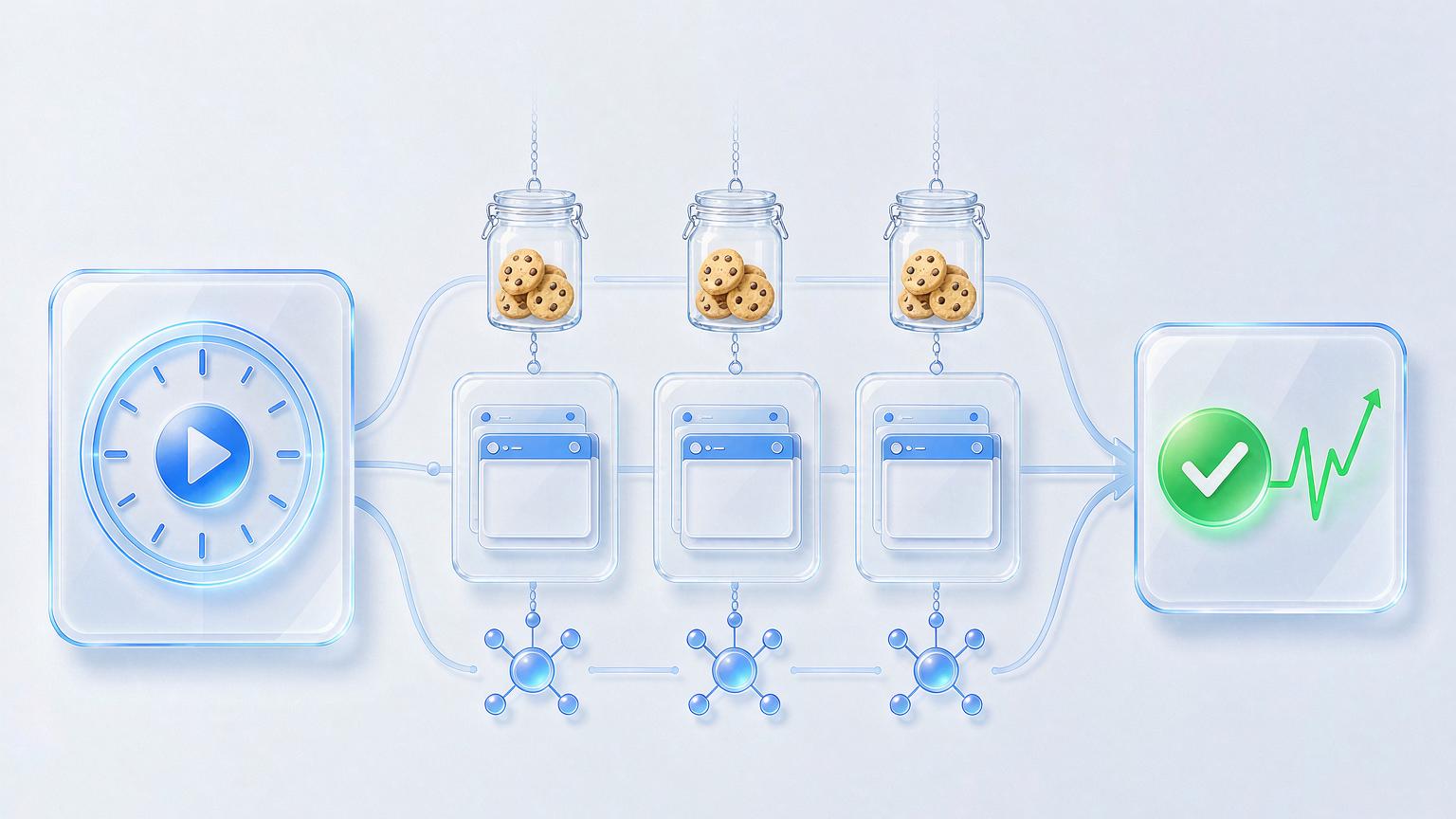
This "private cookie jar" design delivers two immediate benefits:
- Physical isolation: Environment B can't see any of Environment A's login states, carts, or browsing history. The Cookies collected inside Environment B share nothing with A.
- Continuous accumulation: as long as the environment exists, the Cookie chain keeps growing. An account's seniority travels with the environment, not with your computer.
Following that logic, one common mistake to flag: don't dutifully clear your Cookies. Many people have a compulsive "regular cleanup feels safer" habit, but in the multi-account world, clearing Cookies means erasing the account's seniority with your own hands. The right move is the opposite — not only keep them, keep them active. Which brings us to the next topic.
Cookie Warmup: Keeping Accounts Alive on Their Own
Accounts left idle lose standing, the way an empty house develops problems. The idea behind Cookie warmup is simple: have each environment automatically visit a few "everyday websites" on a regular basis, leaving normal visit traces that keep the account looking alive.
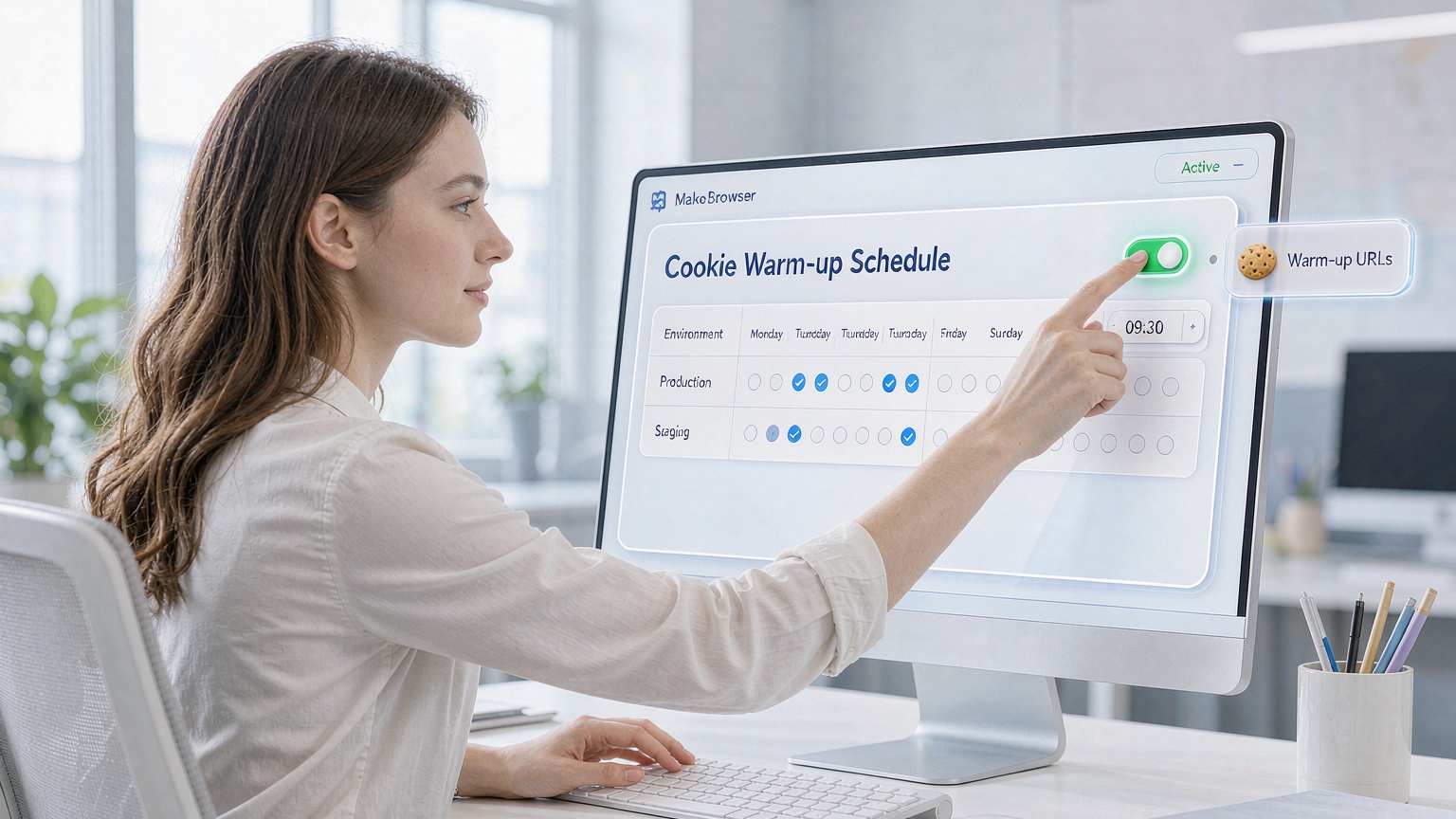
The demo called this feature a Cookie Robot — you configure warmup URLs for an environment, set the execution time, and the system visits them automatically on schedule with nobody babysitting it. It's entirely replicable in practice, in five steps:
Step one: set warmup URLs for each environment. Pick 3–5 ordinary websites that match the account's persona — news, portals, industry sites all work. Don't pick sites unrelated to the account's business, and don't make every environment hit the same big sites.
Step two: set the schedule. Configure by weekday plus time slot, and stagger different environments. Twenty accounts all "waking up" at exactly 9 a.m. — that regularity is itself an anomaly signal.
Step three: run a small pilot first. Pick two or three accounts, run for a few days, confirm visits are normal and captchas aren't firing constantly, then roll out to everything.
Step four: match the warmup with consistent parameters. During warmup visits, the browser's timezone and language must match the IP's location — visit traces with mismatched parameters look more suspicious to a platform than no visits at all. For the full parameter checklist, the TikTok environment setup guide has a complete acceptance list you can follow as-is.
Step five: review execution logs regularly. Which environment's warmup task failed, which account started getting captchas — it's all in the logs. A weekly scan is enough.
We run our own warmup tasks inside MakoBrowser: scheduled warmup plus environment grouping let us schedule dozens of accounts in one pass, executing automatically every day at the appointed time.
Import, Export, and the Traps to Know
Two more high-frequency Cookie operations: importing and migrating. A few traps you have to know.
Trap one: never import Cookies of unknown origin. Those "Platform X Cookie files" circulating online — importing one is loading someone else's login state and anomaly history straight into your environment. Best case, instant verification walls; worst case, guilt by association. If you use Cookie imports to restore your own accounts, import only your own backups.
Trap two: check Cookie integrity before migrating an environment. When you switch computers or switch antidetect browsers, migrate the environment file whole — Cookies and local storage travel together. Lose half of it along the way, and the account sees "a familiar identity plus an unfamiliar other half."
Trap three: warmup behavior needs ups and downs. Hitting the same URLs at precisely the same minute every day is machine behavior in capital letters. Add random offsets to the timing and rotate the URLs. It's the same principle as account aging — start low-frequency, scale up gradually, keep the rhythm imperfect. For concrete pacing, the methods in the Facebook account management guide can be applied directly.
Trap four: multiple accounts sharing one warmup plan is mutual snitching. If your accounts operate as a coordinated matrix, design the warmup rhythm at the matrix level — each account on staggered time slots, each following its own visit paths, so the whole group never draws an identical activity curve in sync. More on structuring that kind of setup in the social matrix operations guide.
FAQ
What's the difference between Cookies and Cache? Cache stores page resources and governs "how fast things load"; Cookies store identity and state data and govern "who you are and whether you've been here." In multi-account work, Cookies are the priority; Cache can simply travel with the environment.
How often should Cookies be cleared? Under normal circumstances, never. Clear them only when an account is deliberately being reset to a new identity, or when an environment is suspected of being contaminated — and after clearing, regenerate the fingerprint parameters along with them.
How long should Cookie warmup run? New environments can start on day one, low-frequency and small steps. It's not a remedial measure; it's routine maintenance.
Do you need to log in again after importing Cookies? A complete, valid import should land you directly in a logged-in state. If you're asked to log in again after importing, the Cookie is most likely incomplete or already expired — don't force it.
Closing: Cookies Are an Account's Seniority — Don't Zero It Out Yourself
IP and fingerprints decide whether an account "looks human"; Cookies decide whether it "looks familiar." Environment isolation keeps every account's cookie jar separate, and warmup makes the seniority inside the jar appreciate daily — get those two right, and accounts stand on their own.
Recommended order of operations: first confirm each environment's Cookie storage is fully independent, then set up warmup schedules, and only then move on to advanced stuff like import/export. The reverse order buries risk in the foundation.
Finally, let me be straight with you: the longest-running Cookie chain in our environment list survives on exactly four words — "don't clear, feed often." The warmup feature covered here can be configured directly in MakoBrowser (download here), and most of the specific issues that come up during setup have been covered in past posts in the blog hub.