Enterprise Multi-Account Management: Centralized Control, Environment Isolation, and Team Collaboration
Enterprise Multi-Account Management: Centralized Control, Environment Isolation, and Team Collaboration
When you only have a handful of accounts, management runs on memory: whoever registered an account remembers it, passwords live in a spreadsheet, and every handover means starting from scratch. Once accounts reach scale — a dozen stores, dozens of social media profiles, ad accounts across several platforms — managing them by hand starts to break down: accounts scattered across colleagues' laptops leave with them when they quit; shared environments mean one flagged account drags down the rest; and nobody can say when a given account was last touched.
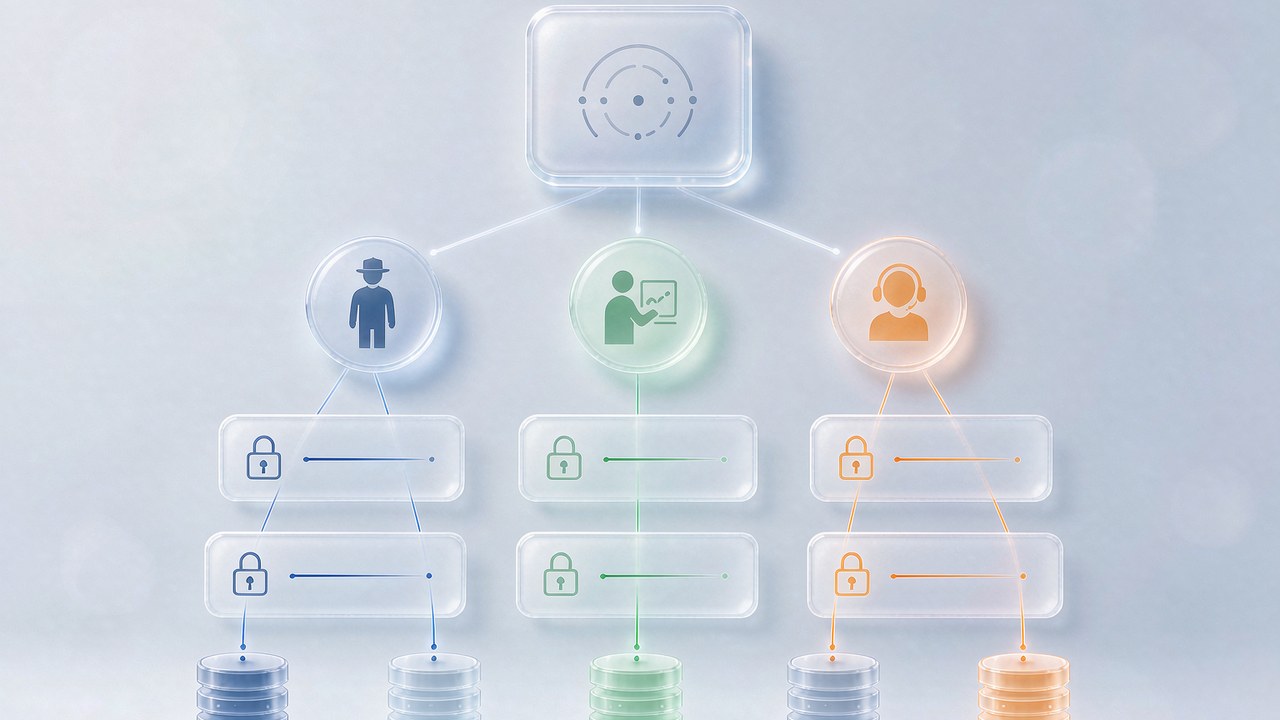
The core of enterprise multi-account management is turning accounts from "personal assets" into "organizational assets." Break the work into three layers: centralized control solves "scattered," environment isolation solves "risk," and team permissions solve "chaos." This article walks through all three and gives you a playbook you can copy directly.
Layer 1: Centralized Control — See Every Account in One Place
Centralized control is a simple idea: for any account, the manager opens one dashboard and can immediately see who owns it, what state it's in, and whether anything unusual has happened recently. Get to this point, and management has already upgraded from "asking around" to "reading a dashboard."
The market offers two main routes. One is cloud phones: bulk-create independent mobile device environments in the cloud, control dozens of "virtual phones" from a single computer, each with its own device parameters — a good fit for businesses centered on mobile apps. The other is an anti-detect browser: bulk-create independent browser environments on your computer, suited to ecommerce backends, social media web clients, and ad platforms. Both routes share the same philosophy — replace "N real devices + N password spreadsheets" with "one workbench + N independent environments."
Whichever route you choose, centralized control delivers three immediate benefits: new environments are created in bulk instead of configured one by one; accounts are grouped by platform, business line, or owner; and running status is visible in one view, so anomalies surface immediately. At a few dozen accounts, these three things become daily infrastructure.
Layer 2: Environment Isolation — Every Account Should "Live Like an Independent User"
Centralized control solves "can't see"; environment isolation solves "getting banned by association because the same people operate everything." Platforms judge account linkage by device fingerprint, network exit, and behavioral signals: a dozen accounts sharing one set of browser parameters and one IP exit is the same as telling the platform "this is a team running accounts in bulk."
Enterprise-grade environment isolation requires three things:
Independent fingerprints. Each environment carries its own set of device parameters — OS version, resolution, fonts, Canvas rendering output, and so on — and those parameters must be internally consistent, like a real device that actually exists, not a random pile of contradictory settings.
Independent proxy scheduling. This is the layer that most often spirals out of control in enterprise settings. Once accounts multiply, manually entering proxies guarantees mistakes — you should maintain a centralized proxy library and assign proxies by business line when creating environments, keeping IP geolocation consistent with account profiles. For how to choose between proxy types, see our earlier comparison of static and rotating proxies; here we'll stress one rule: keep the proxy library centrally managed, not scattered across individual environment configs.
Data isolation. Cookies, login states, and local storage must be physically separated per environment before cross-contamination risk can drop to zero. At this layer, MakoBrowser ships "independent fingerprint plus independent proxy per environment" as a default capability, configuring isolation parameters automatically during bulk creation so teams don't have to tune each environment by hand.
After isolation, there's one easily overlooked step: make your operating rhythm look human. Bulk environments logging in at the same moment and publishing on a unified schedule look identical to a script farm in the eyes of risk control. Stagger activity windows across environments and add random intervals to batch tasks — these details don't change business outcomes, but they decide what color your risk signals are.
Layer 3: Team Collaboration — Clear Permissions Keep Accounts Safe
Once accounts become organizational assets, the most dangerous link is often people. A support agent who only needs to reply to messages can see payment settings; an operator leaves and the twenty accounts under their name have no successor — these aren't technical problems, they're permission design problems.
For the permission model of enterprise multi-account management, build on this skeleton:
- Three roles to start: admins handle configuration and authorization, operations touches only the environments in their own business line, and support performs limited actions inside designated environments;
- Separate authorization for sensitive actions: deleting environments, exporting login states, and changing payment information should require dedicated permissions or a second confirmation;
- Traceable operation logs: who touched which environment and when — logs must be auditable, so when something goes wrong you locate the step instead of guessing at each other;
- A handover process: when an environment's owner changes, use bulk transfer; login states stay with the environment, not the person.
Permissions deserve a much longer discussion — our earlier piece on team collaboration management covers the role model and RBAC configuration in detail, and it's worth walking through as you build your permission system.

With the three layers in place, you can go one step further: hand repetitive high-frequency actions to automation — scheduled tasks at fixed times, templated bulk operations — so people step out of mechanical labor and handle only exceptions and decisions. Automation running on well-isolated environments is where efficiency becomes a net gain.
FAQ
Cloud phones or an anti-detect browser — which should an enterprise choose? Look at where the business happens. Mobile-app-centric operations (TikTok on mobile, app matrix testing) fit cloud phones better; browser scenarios (ecommerce backends, social web clients, ad platforms) are smoother with an anti-detect browser. Many teams running both lines use both tools under the same control philosophy.
We already have dozens of accounts — is rebuilding environments now realistic? You don't have to do it all at once. Start new business lines on the new standard and migrate old accounts in batches — high-value accounts first. During migration, keep the mapping between login states and environments intact, avoid the high-risk move of "old account suddenly switches environment," and observe on the platform for one to two weeks before switching the next batch.
How do we hand over accounts safely when a team member leaves? Transfer environments, not passwords: the admin bulk-reassigns environments to the successor and revokes the departing member's access at the same time. When environments are centrally managed, a handover is just a configuration change; if accounts are scattered across personal devices, a handover becomes a risk incident.
Is multi-account management software itself secure? Could data leak? Focus on two things: whether sensitive data is encrypted locally (no plaintext on the server), and the vendor's storage and transmission policy for login states. Ask these two questions clearly during evaluation — that matters more than reading the feature list.
Enterprise multi-account management is, at its core, an upgrade from "personal craft" to "organizational process": centralized control makes accounts visible, environment isolation makes them resilient, and team permissions keep them safe. With all three layers in place, going from fifty accounts to five hundred only means adding people, not adding risk.
If your team is being dragged down by scattered accounts, spend one week auditing your environments, then build up through these three layers. Download MakoBrowser and start by bulk-creating your first batch of standardized environments — turn your accounts into real organizational assets.