Is MakoBrowser Safe? Account Data, Privacy and Anti-Association, Explained
"Is MakoBrowser safe?" is the question this type of tool gets asked most often — but a flat "yes" or "no" answers nothing, because it is really three different questions bundled together: where your account data lives and whether it can leak; whether platforms can tie your accounts together through environment signals; and whether team members and outsourced helpers amplify the risk. Split the three apart and the boundary becomes very clear: what the tool covers for you, and what you have to get right yourself. This article goes through them in that order and ends with a checklist you can use immediately.
"Is it safe" is three questions, not one
What you're worried about changes the answer completely:
- Data security: where sensitive information like Cookies, login states and proxy configs is stored, who can see it, and whether problems leave a trace you can audit;
- Association risk: whether a platform can decide, from environment signals, that the accounts under your name belong to one person — and punish them together;
- Collaboration risk: how much access team members and part-time contractors hold, and what happens to the environments when they leave.
People often ask all three at once as "is it safe", and end up blaming the tool for what operations should cover, and vice versa. Let's take them one by one.
Account data and logs: environments stored separately, every action on record
Data first. MakoBrowser's basic unit is the Profile: each Profile keeps its Cookies, local storage and proxy configuration as a separate set of environment data — we covered the isolation mechanics in a full introduction to MakoBrowser, so I won't repeat it here. What actually matters for "is it safe" is a different thing: who touched an environment and when is something you can look up in the system.
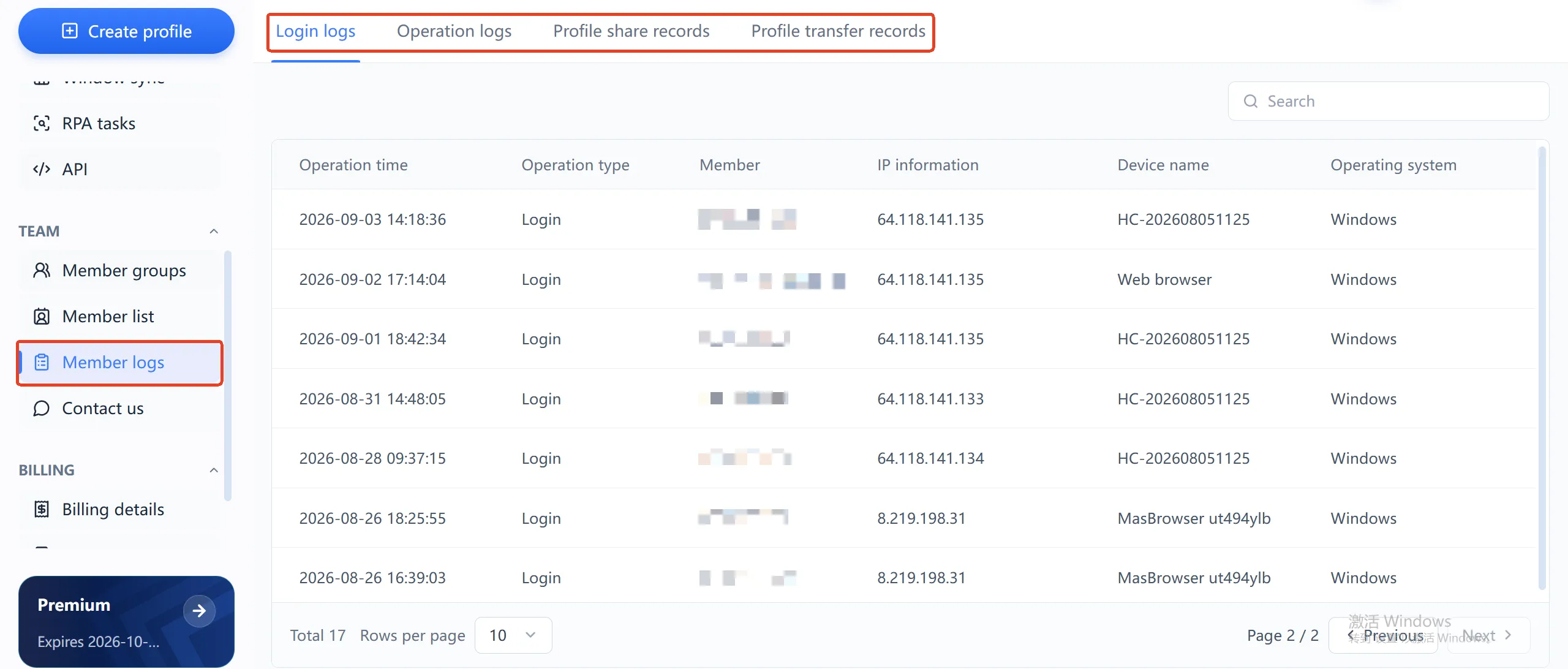
The environment log page has four record types: login logs, operation logs, environment sharing logs and environment transfer logs. Take the login log: every entry records, down to the second, the time, the member, the source IP, the device name and the operating system. So when an account acts up, you can go straight to the record: who logged in at that moment, from which IP, on what device. For a business that manages money and accounts, "being able to trace incidents" is itself part of being safe.
To be honest about the limit: the official site doesn't currently publish technical details about transport and storage encryption. If your business has strict compliance requirements, confirm that directly with the vendor. But "auditable activity trails" is a feature that verifiably exists in the interface — and that alone sets it apart from tools that only tweak fingerprints and never think about audits.
The real boundary of anti-association: tools manage environments, people manage habits
Anti-association doesn't mean "guaranteed no bans"; it means reducing unnecessary environment association signals between accounts. What MakoBrowser does at the environment level: fingerprint parameters stay stable and consistent over time, Cookies and storage never cross between Profiles, and each Profile routes through its own proxy. For why fingerprinting matters to platforms, see Mozilla's own documentation on fingerprint tracking.
What the tool can't manage, though, is the more common cause of account clusters getting banned together:
- Ten accounts sharing one low-quality proxy — once the exit IP gets flagged, every account goes down with it;
- Registration details, shipping info and payment methods that are near-identical across accounts;
- Every account performing identical actions in the same time window, leaving copy-pasted behavior trails.
These are operating-habit problems, and no tool can fix them. The accurate way to put it: environment isolation patches the "hardware-level tells", while the "behavior-level tells" are yours to avoid. Platform risk controls also keep evolving, so no tool can promise you'll never be flagged. Validate on a small scale before running real business — it's the cheapest insurance.
Team scenarios: roles, member groups and environment transfers
Alone, risk is a technical problem; with a team, it becomes a management problem. MakoBrowser gives you three mechanisms at this layer: admin and member roles with different permissions; environment groups organized by business line, so members only touch accounts in their own group; and dedicated transfer records whenever an environment moves between members.
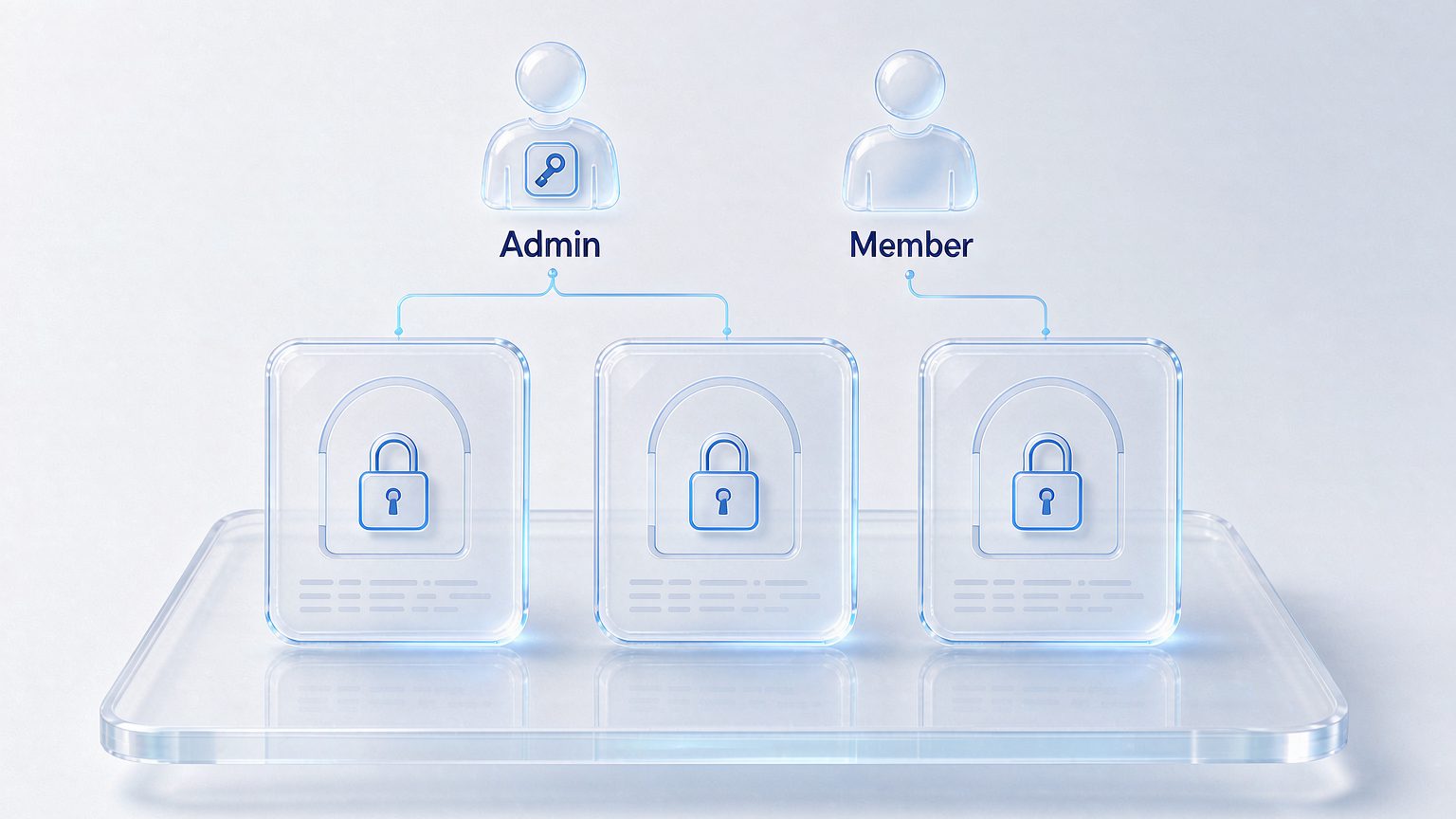
Two practical recommendations: give contractors and part-timers member accounts instead of sharing your main password — if a shared password causes an incident, the logs can't even tell you who did what; and when someone leaves or hands over work, use the environment transfer feature rather than keeping shared logins. After the handover, who owns the environment and when it moved is all in the records.
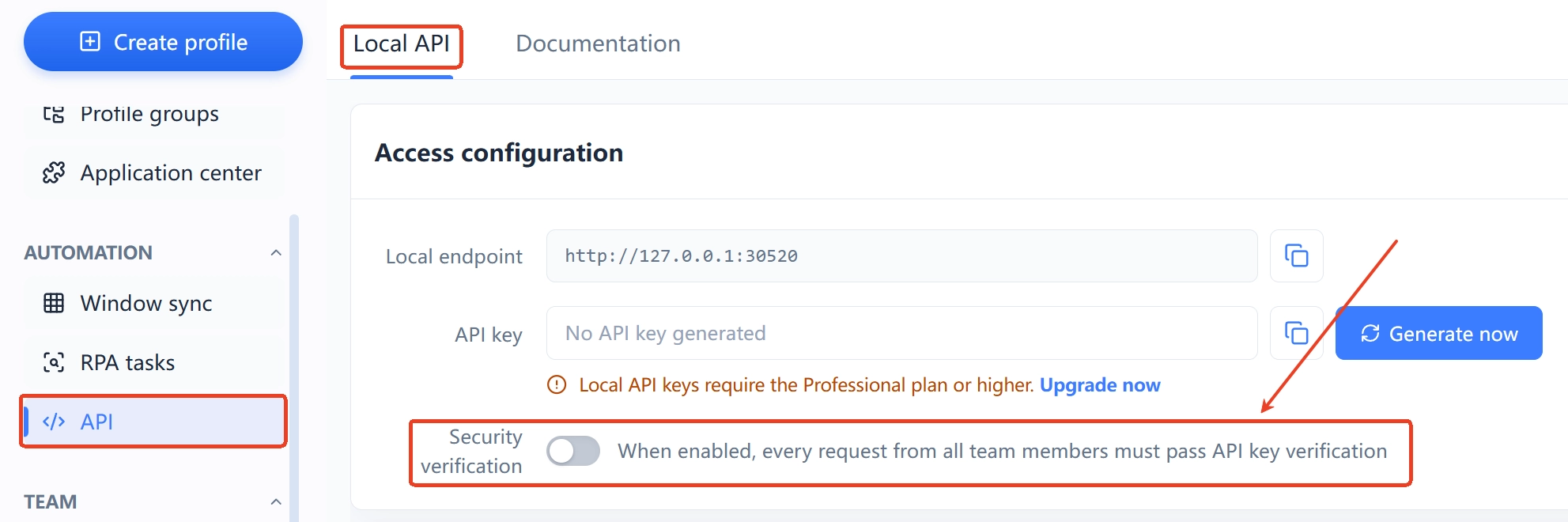
One easily missed point: if you use Local API for automation, the interface has a dedicated security verification switch — once enabled, every call requires API Key verification. If you run RPA batch tasks, keep it on; otherwise your local port is open to every program on the machine.
Five security checks you can run today
Whether or not you use MakoBrowser, these five are worth doing:
- No proxy reuse: one dedicated proxy per account; never let two accounts share an exit IP — the cheapest and most common association signal;
- Differentiate your registration data: emails, phone numbers, shipping info and payment methods prepared per account, no batch registration from one template;
- Turn on Local API security verification: if you automate, require API Key verification; if you don't use the API, close the entry point;
- Review environment logs regularly: two minutes a week scanning login logs — are the IPs and devices all people you know? Anomalies surface immediately;
- Hand over via environment transfer: when staff change, transfer environments to the new owner's name; don't leave a departed employee's account hanging on your business environments.
The tool covers the environment layer; the habit layer is yours. Get both right and the answer to "is it safe" becomes complete.
FAQ
Does MakoBrowser store my account passwords?
A Profile stores browser environment data: Cookies, local storage, sessions and proxy configuration. Whether passwords are retained depends on your own habits inside the environment (whether you let the browser save them). For sensitive accounts, enable the platform's own two-factor authentication — an extra line of defense independent of the browser environment.
Does using MakoBrowser guarantee I won't get banned?
No tool can promise that. MakoBrowser addresses environment-level association signals (fingerprint, Cookie and proxy isolation); behavioral risk is controlled by your operating habits, and platform risk-control policies keep changing. Validate on a small scale before running real business.
Can team members see each other's environments?
Environments are managed by group; admin and member roles have different permissions, and members only operate environments they're authorized to use. Sharing and transfers both leave records you can check in the dashboard.
Is it safe to keep Local API always on?
The API panel provides a security verification switch; once enabled, every call requires API Key verification. Enable verification only when you need automation, keep the Key safe, and close the entry point when idle.
Build the environment layer of security first
If you're just starting multi-account operations, put every account into its own Profile, configure a dedicated proxy for each, and watch the environment logs for a few days to see how your team actually operates — that's worth more than any promise of "absolute safety".